在 .NET 中构建智能文档处理流水线:IDP 开发者指南

智能文档处理(Intelligent Document Processing,简称 IDP) 将 AI 文档理解能力与自动化提取、校验和下游处理串联起来。对 .NET 开发者而言,落地 IDP 通常意味着把基于 AI 的文档理解层与处理文件、执行业务规则和对接业务系统的确定性代码连接到一起。

本指南聚焦 .NET 环境下 Office 与 PDF 文档的 IDP 工作流,涵盖四阶段流水线架构、C# 实现模式,以及自建与采购的决策框架。

快速导航


1. 什么是智能文档处理

智能文档处理是一种以 AI 为核心的自动化方法:对文档进行分类、从中提取结构化数据、按业务规则校验结果,再将输出路由到下游系统。与传统 OCR 主要把视觉内容转成机器可读文本不同,IDP 在此基础上叠加了文档分类、语义提取、校验和流程自动化,能够处理版式各异的文档而不完全依赖固定模板。

一条实用的 IDP 流水线可以划分为四个阶段:分类 → 提取 → 校验 → 路由。每个阶段有各自的输入、输出和失败模式。AI 智能体通过自然语言理解完成分类和提取,校验和路由则保持为确定性代码,负责执行业务规则并对接下游系统。

IDP 与 OCR、文档处理、文档智能的区别

这几个概念经常混用,但它们描述的是不同层次的能力:

技术 核心职责
OCR 将视觉内容转换为文本
文档处理 读取、操作、转换或生成文件
文档智能 理解文档内容并提取语义
IDP 将文档理解与自动化流程结合

实际项目中这些能力往往交叠。一条 IDP 流水线可能用 OCR 处理扫描件、用 AI 做语义理解、用文档处理 API 做确定性文件操作。区分它们的意义在于架构层面:明确每一层负责什么,决定了你如何构建和维护整个系统。

IDP 不等于把整条流程都交给 AI。 AI 负责理解和提取,确定性代码负责校验、路由、文件操作和系统集成。正是这种分离让 IDP 在生产环境中可维护——业务规则的变化频率远高于文档格式,你需要把这些规则放在自己可控的代码里,而不是锁在模型提示词中。


2. 四阶段 IDP 流水线

IDP 流水线不是一次 API 调用,而是一串阶段,每个阶段有独立的输入、输出和失败模式。理解这个架构,是”构建一条能处理真实文档多样性的流水线”和”写一个遇到意外输入就崩的脚本”之间的分水岭。

一条实用的 IDP 流水线可以划分为四个阶段:

四阶段 IDP 流水线:分类、提取、校验、路由,展示每个阶段的输入、输出和失败模式,以及人工审核分支

阶段 1 — 分类

流水线收到一份类型未知的文档。分类阶段判断它是什么——发票、合同、采购订单、收据、银行对账单——并附加驱动后续行为的元数据。传统系统靠文件名约定、文件夹路径或模板匹配来分类。AI 驱动的流水线则用自然语言分析:智能体读取文档内容,基于语义理解判断类型。

阶段 2 — 提取

文档类型确定后,提取阶段从中拉取结构化数据。发票要提取供应商名称、发票号、明细行、合计、税额、付款条款;合同要提取当事方、生效日期、终止条款、财务义务。提取阶段把非结构化或半结构化的文档内容转成下游系统可消费的结构化格式(JSON、XML、数据库记录)。

阶段 3 — 校验

提取的数据接受业务规则检查。发票合计是否等于明细行小计之和?供应商是否在审批名单中?合同是否由授权签字人签署?校验阶段捕获提取错误、标记异常,并产生一个置信度分数,决定文档可以自动路由还是需要人工审核。

阶段 4 — 路由

通过校验的数据被发送到对应的下游系统:发票数据进 ERP,合同数据进合同管理平台,其余进文档归档。路由还可能触发下游流程——审批链、付款处理、合规检查。

人工审核是一条控制路径而非必经阶段: 未通过校验或置信度低于阈值的文档被路由到人工审核。这使四阶段流水线对大多数文档保持线性,同时为边缘情况提供受控的兜底。

为什么 IDP 需要的不只是一次 AI API 调用

每个阶段有独立的失败模式。分类可能误判文档类型,提取可能漏字段或产生幻觉值,校验可能因规则过严而拒绝合法数据,路由可能因下游系统不可用而失败。稳健的 IDP 流水线独立处理每种失败模式,在每个阶段配备重试逻辑、降级行为和审计日志。


3. 在 .NET 中构建 IDP 流水线

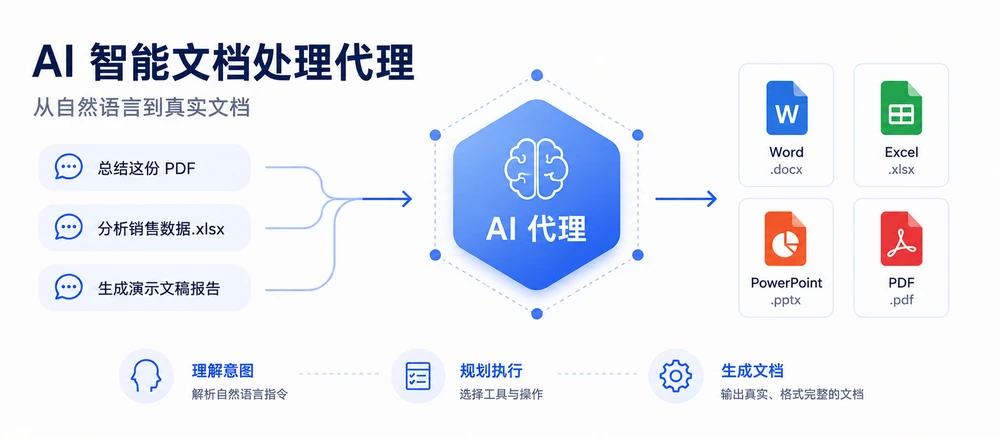
在 .NET 中落地这套架构的一种方式是使用 Spire.Agent.Office——一款 AI 智能体 SDK,通过自然语言指令处理 Word、Excel、PowerPoint 和 PDF 文档。SDK 在文档对象(DocumentPdfDocumentWorkbookPresentation)上提供 AI() 扩展方法,接受 AIOptions 配置并返回 AIDocumentProcessor。在处理器上调用 ExecuteInstruction 执行指令、将输出写入文件,并返回带 SuccessErrorMessage 属性的 AIResult

前置条件

1
2
<!-- NuGet 包 -->
<PackageReference Include="Spire.Agent.Office" Version="11.8.3" />

下文示例聚焦流水线架构和 Spire.Agent.Office 集成。结果解析、下游路由等辅助方法为简洁起见省略。

3.1 定义流水线模型

流水线需要数据结构在各阶段之间传递结果,以及一份共享的 AI 智能体配置。

1
2
3
4
5
6
7
8
9
10
11
12
13
14
15
16
17
18
19
20
21
22
23
24
25
26
27
28
29
30
31
32
33
34
35
36
37
38
39
40
41
42
43
44
45
46
47
48
49
50
51
52
53
54
55
56
57
58
59
60
61
62
63
64
65
66
67
68
69
70
71
72
73
74
75
76
77
78
79
80
81
82
using Spire.Agent.Office.AI;
using Spire.Agent.Office.Extensions;
using Spire.Doc;
using Spire.Pdf;
using Spire.Xls;
using Spire.Presentation;
using System.Collections.Concurrent;

public class ClassificationResult
{
public string DocumentType { get; set; } = "Unknown";
public double Confidence { get; set; }
public string SourceFile { get; set; } = string.Empty;
}

public class ExtractionResult
{
public Dictionary<string, string> Fields { get; set; } = new();
public List<Dictionary<string, string>> LineItems { get; set; } = new();
public string OutputPath { get; set; } = string.Empty;
}

public class ValidationResult
{
public bool IsValid { get; set; }
public List<string> Errors { get; set; } = new();
public List<string> Warnings { get; set; } = new();
public double ValidationScore { get; set; }
}

public class PipelineResult
{
// 阶段 4 的结果。RunPipelineAsync 在每条路径上记录其中一个值,
// ProcessBatchAsync 按它计数,因此批量报告始终守恒:
// Successful + Flagged + Errored == Total。
public const string Routed = "Routed";
public const string NeedsReview = "Flagged for review";
public const string Failed = "Failed";

// 非空默认值保证失败结果对象也是完整的,
// 批量聚合器无需对阶段输出做 null 检查。
public ClassificationResult Classification { get; set; } = new();
public ExtractionResult Extraction { get; set; } = new();
public ValidationResult Validation { get; set; } = new();
public List<string> AuditLog { get; set; } = new();
public string Status { get; set; } = string.Empty;
}

public class BatchResult
{
public int Total { get; set; }
public int Successful { get; set; }
public int Flagged { get; set; }
public int Errored { get; set; }
public List<PipelineResult> Results { get; set; } = new();
}

// 路由策略,由校验(§3.3)和编排(§3.4)共享
static class RoutingPolicy
{
// 自动路由所需的最低校验分数。
public const double AutoRouteThreshold = 0.7;

// 所有可选字段警告共享的置信度预算。
// 花完整个预算必须能把一份合法文档压到 AutoRouteThreshold 以下——
// 否则 §3.4 的路由检查就是死代码。用固定预算而非每个字段
// 固定扣分,是为了在可选字段变化时仍保持这一性质。
public const double OptionalFieldBudget = 0.4;
}

// 共享的智能体配置
static AIOptions CreateAgentOptions(string workDir)
{
string spireToken = Environment.GetEnvironmentVariable("SPIRE_TOKEN")
?? throw new InvalidOperationException("SPIRE_TOKEN not set.");

AIOptions options = new AIOptions();
options.SpireToken = spireToken;
options.WorkDir = workDir;
options.TimeoutMs = 300000;
return options;
}

SpireToken 用于认证 Spire.Agent.Office。SDK 通过 AIOptions 管理 AI 服务连接,应用本身无需直接实现底层模型 API 集成。WorkDir 指定智能体在处理过程中存放中间文件的位置。

3.2 用 AI 智能体分类和提取文档

分类阶段加载文档,让智能体判断类型,并将结果写入 JSON 文件。LoadFromFileAI(options)ExecuteInstruction 这套调用模式对所有文档格式通用——变的只是文档类,而分派逻辑由你来写。AI() 绑定到具体的文档类型:PDF 必须以 PdfDocument 加载,工作簿以 Workbook 加载,演示文稿以 Presentation 加载,Word 文件以 Document 加载。把文件交给错误的类不会回退到通用读取器,而是直接抛异常,所以要在调用 AI() 之前按扩展名选好类。

1
2
3
4
5
6
7
8
9
10
11
12
13
14
15
16
17
18
19
20
21
22
23
24
25
26
27
28
29
30
31
32
33
34
35
36
37
38
39
40
41
42
43
44
45
46
47
48
49
50
51
52
53
54
55
56
57
58
59
60
61
62
63
64
65
66
public ClassificationResult Classify(
string filePath, string outputDir)
{
AIOptions agentOptions = CreateAgentOptions(outputDir);
string classifyPath = Path.Combine(outputDir,
Path.GetFileNameWithoutExtension(filePath) + "-cls.json");

string instruction =
"Analyze this document and determine its type. " +
"Return one of: Invoice, Contract, PurchaseOrder, " +
"Receipt, BankStatement, Unknown. Include a confidence " +
"score between 0 and 1. Save the result as JSON.";

string ext = Path.GetExtension(filePath).ToLowerInvariant();
AIResult? result = null;

if (ext == ".pdf")
{
using (PdfDocument doc = new PdfDocument())
{
doc.LoadFromFile(filePath);
result = doc.AI(agentOptions).ExecuteInstruction(
doc, instruction, classifyPath, new string[] { });
}
}
else if (ext == ".xlsx" || ext == ".xls")
{
using (Workbook doc = new Workbook())
{
doc.LoadFromFile(filePath);
result = doc.AI(agentOptions).ExecuteInstruction(
doc, instruction, classifyPath, new string[] { });
}
}
else if (ext == ".pptx" || ext == ".ppt")
{
using (Presentation doc = new Presentation())
{
doc.LoadFromFile(filePath);
result = doc.AI(agentOptions).ExecuteInstruction(
doc, instruction, classifyPath, new string[] { });
}
}
else
{
using (Document doc = new Document())
{
doc.LoadFromFile(filePath);
result = doc.AI(agentOptions).ExecuteInstruction(
doc, instruction, classifyPath, new string[] { });
}
}

if (result != null && result.Success && File.Exists(classifyPath))
{
return ParseClassification(
File.ReadAllText(classifyPath), filePath);
}

return new ClassificationResult
{
DocumentType = "Unknown",
Confidence = 0,
SourceFile = filePath
};
}

提取阶段使用与文档类型对应的指令,从文档中拉取结构化字段:

1
2
3
4
5
6
7
8
9
10
11
12
13
14
15
16
17
18
19
20
21
22
23
24
25
26
27
28
29
30
31
32
33
34
35
36
37
38
39
40
41
42
43
44
45
46
47
48
49
50
51
52
53
54
55
56
57
58
59
60
61
62
63
64
65
66
67
68
69
70
71
72
73
74
75
76
77
78
79
80
81
82
83
84
85
86
87
88
public ExtractionResult Extract(
string filePath, string documentType, string outputDir)
{
AIOptions agentOptions = CreateAgentOptions(outputDir);
string extractPath = Path.Combine(outputDir,
Path.GetFileNameWithoutExtension(filePath) + "-extract.xlsx");

string instruction = documentType switch
{
"Invoice" =>
"Extract all invoice fields and write them as key-value " +
"pairs in a sheet named 'Fields' with columns 'Field' and " +
"'Value'. Use these exact field names: VendorName, " +
"InvoiceNumber, IssueDate, DueDate, Subtotal, Tax, Total, " +
"PONumber. Extract line items into a sheet named 'LineItems' " +
"with columns: Description, Quantity, UnitPrice, Amount. " +
"Write the extracted data to a structured Excel workbook.",

"Contract" =>
"Extract all contract fields and write them as key-value " +
"pairs in a sheet named 'Fields' with columns 'Field' and " +
"'Value'. Use these exact field names: Party1, Party2, " +
"EffectiveDate, TerminationDate, ContractValue, " +
"PaymentTerms, Signatory1, Signatory2. Extract key " +
"obligations into a sheet named 'Obligations' with " +
"columns: Description, Party, Deadline. Write the " +
"extracted data to a structured Excel workbook.",

"PurchaseOrder" =>
"Extract all purchase order fields and write them as " +
"key-value pairs in a sheet named 'Fields' with columns " +
"'Field' and 'Value'. Use these exact field names: " +
"PONumber, VendorName, IssueDate, ExpectedDeliveryDate, " +
"ShippingAddress, Total. Extract requested items into a " +
"sheet named 'LineItems' with columns: Description, " +
"Quantity, UnitPrice, Amount. Write the extracted data " +
"to a structured Excel workbook.",

_ => "Extract all key fields and values from this document. " +
"Write the extracted data to a structured Excel workbook."
};

string ext = Path.GetExtension(filePath).ToLowerInvariant();
AIResult? result = null;

if (ext == ".pdf")
{
using (PdfDocument doc = new PdfDocument())
{
doc.LoadFromFile(filePath);
result = doc.AI(agentOptions).ExecuteInstruction(
doc, instruction, extractPath, new string[] { });
}
}
else if (ext == ".xlsx" || ext == ".xls")
{
using (Workbook doc = new Workbook())
{
doc.LoadFromFile(filePath);
result = doc.AI(agentOptions).ExecuteInstruction(
doc, instruction, extractPath, new string[] { });
}
}
else if (ext == ".pptx" || ext == ".ppt")
{
using (Presentation doc = new Presentation())
{
doc.LoadFromFile(filePath);
result = doc.AI(agentOptions).ExecuteInstruction(
doc, instruction, extractPath, new string[] { });
}
}
else
{
using (Document doc = new Document())
{
doc.LoadFromFile(filePath);
result = doc.AI(agentOptions).ExecuteInstruction(
doc, instruction, extractPath, new string[] { });
}
}

if (result == null || !result.Success)
throw new InvalidOperationException(
$"Extraction failed: {result?.ErrorMessage}");

return ReadExtractionResult(extractPath);
}

示例输出:智能体的分类结果和提取出的发票数据写入工作簿的 Fields 和 LineItems 工作表

每种文档类型对应一条专用指令,告诉智能体要找哪些字段、以什么格式输出。智能体读取源文档,把结构化 Excel 工作簿写到 extractPath。指令决定了工作簿的形状——命名工作表、表头和精确字段名,这些约束让输出在下游可解析。如果指令只写”提取发票字段”,每次运行可能返回不同的表名、不同的表头行、或同一字段的不同拼写,因为智能体自己决定布局。下一节的 GetField 负责处理那些漏网的变体。

关于智能体判断与确定性代码的分工,详见 AI 文档处理智能体

3.3 用 C# 校验提取数据

校验是纯 C# 逻辑——不需要调用 AI。智能体已经产出了结构化数据,校验只需把这些数据拿来跟业务规则比对。

1
2
3
4
5
6
7
8
9
10
11
12
13
14
15
16
17
18
19
20
21
22
23
24
25
26
27
28
29
30
31
32
33
34
35
36
37
38
39
40
41
42
43
44
45
46
47
48
49
50
51
52
53
54
55
56
57
58
59
60
61
62
63
64
65
66
67
68
69
70
71
72
73
74
75
76
77
78
79
80
81
82
83
84
85
86
87
88
89
90
91
92
93
94
95
96
97
98
99
100
101
102
103
104
105
106
107
108
109
110
111
112
113
114
115
116
117
118
119
120
121
122
123
124
125
126
127
128
129
130
131
132
133
134
135
136
137
138
139
140
141
142
143
144
145
146
147
148
149
150
151
152
153
154
155
156
157
158
159
160
161
162
163
164
165
166
167
168
169
170
171
172
173
174
175
176
177
178
179
180
181
182
// 归一化字段查找:处理键名变体,如
// "VendorName" vs "Vendor Name" vs "vendor_name",并剥离
// 尾部限定词(如 "Total Amount Due" → "Total")
static string? GetField(
Dictionary<string, string> fields, string key)
{
string normalized = key.Replace(" ", "").ToLowerInvariant();
foreach (var kvp in fields)
{
if (kvp.Key.Replace(" ", "").ToLowerInvariant() == normalized)
return kvp.Value;
}

// 兜底:逐个剥离尾部限定词,使多词标签
// 能归约到我们要求的字段名("Total Amount Due" → "Total",
// "Invoice No" → "Invoice")。每次匹配后重新开始剥离,
// 使结果不依赖后缀列表的顺序。
string[] suffixes = { "due", "amount", "no" };
foreach (var kvp in fields)
{
string candidate = kvp.Key.Replace(" ", "")
.ToLowerInvariant();

bool stripped = true;
while (stripped)
{
stripped = false;
foreach (var suffix in suffixes)
{
if (candidate.Length > suffix.Length &&
candidate.EndsWith(suffix))
{
candidate = candidate[..^suffix.Length];
stripped = true;
break;
}
}
}

if (candidate == normalized)
return kvp.Value;
}

return null;
}

public ValidationResult Validate(
ExtractionResult extracted, string documentType)
{
var errors = new List<string>();
var warnings = new List<string>();
double confidence = 1.0;

switch (documentType)
{
case "Invoice":
// 规则 1a:Total 必须等于 Subtotal + Tax。仅在三者
// 都提取到时才执行——缺失的 Tax 只报告一次警告,
// 而不是变成一个编造的算术错误。
var totalStr = GetField(extracted.Fields, "Total");
var subtotalStr = GetField(extracted.Fields, "Subtotal");
var taxStr = GetField(extracted.Fields, "Tax");

if (decimal.TryParse(totalStr, out var total) &&
decimal.TryParse(subtotalStr, out var subtotal) &&
decimal.TryParse(taxStr, out var tax))
{
if (Math.Abs(total - (subtotal + tax)) > 0.01m)
{
errors.Add(
$"Total mismatch: stated {total}, " +
$"calculated {subtotal + tax}");
confidence -= 0.3;
}
}

// 规则 1b:Subtotal 必须等于明细行金额之和。
// 明细行是税前金额,因此与 Subtotal 比对。
// 若与含税的 Total 比对,每张正确提取的含税发票
// 都会被拒绝。
if (decimal.TryParse(subtotalStr, out var subtotalBase) &&
extracted.LineItems.Count > 0)
{
decimal lineItemSum = 0;
foreach (var item in extracted.LineItems)
{
var amtStr = GetField(item, "Amount");
if (decimal.TryParse(amtStr, out var amt))
lineItemSum += amt;
}

if (lineItemSum > 0 &&
Math.Abs(subtotalBase - lineItemSum) > 0.01m)
{
errors.Add(
$"Line item mismatch: subtotal " +
$"{subtotalBase}, line items {lineItemSum}");
confidence -= 0.3;
}
}

// 规则 2:必填字段必须存在
string[] required = { "VendorName", "InvoiceNumber",
"IssueDate", "Total" };
foreach (var field in required)
{
var value = GetField(extracted.Fields, field);
if (string.IsNullOrEmpty(value))
{
errors.Add($"Missing required field: {field}");
confidence -= 0.15;
}
}

// 警告:可选字段缺失会降低置信度
// 但不会使文档无效
string[] optional = { "PONumber", "DueDate", "Tax" };
double optionalPenalty =
RoutingPolicy.OptionalFieldBudget / optional.Length;
foreach (var field in optional)
{
var value = GetField(extracted.Fields, field);
if (string.IsNullOrEmpty(value))
{
warnings.Add(
$"Optional field missing: {field}");
confidence -= optionalPenalty;
}
}
break;

case "Contract":
var party1 = GetField(extracted.Fields, "Party1");
var party2 = GetField(extracted.Fields, "Party2");
if (string.IsNullOrEmpty(party1) ||
string.IsNullOrEmpty(party2))
{
errors.Add(
"Contract must identify at least two parties");
confidence -= 0.25;
}

// 警告:缺失可选合同元数据
string[] optionalContract =
{ "EffectiveDate", "ContractValue", "PaymentTerms" };
double contractPenalty =
RoutingPolicy.OptionalFieldBudget / optionalContract.Length;
foreach (var field in optionalContract)
{
var value = GetField(extracted.Fields, field);
if (string.IsNullOrEmpty(value))
{
warnings.Add(
$"Optional field missing: {field}");
confidence -= contractPenalty;
}
}
break;

default:
// 未覆盖的文档类型需要人工审核
errors.Add(
$"No validation rules for type '{documentType}'");
confidence -= 0.5;
break;
}

// 硬性兜底:零字段提取始终无效
if (extracted.Fields.Count == 0)
{
errors.Add("No fields were extracted from the document");
confidence -= 0.5;
}

return new ValidationResult
{
IsValid = errors.Count == 0,
Errors = errors,
Warnings = warnings,
ValidationScore = Math.Max(0, confidence)
};
}

校验关卡与路由决策:仅当校验通过且置信度达到 0.70 阈值时,文档才被自动路由

校验把硬性失败和质量警告分开。缺失必填字段、合计与明细行不平、或文档类型没有对应规则——这些进入 Errors,文档被判定无效。可选字段没提取到只会降低 ValidationScore,因此一份其余方面完好的文档仍能路由。扣分是所有可选字段共享的固定预算而非每个字段固定扣分:以上代码中三个可选字段共 0.4 预算,缺一个降到 0.87,缺两个降到 0.73——都高于 0.7 自动路由阈值——只有三个全缺才降到 0.60 并送审。把这两个信号分开,才能把人工审核留给真正需要它的文档。

3.4 编排流水线

编排方法把各阶段串起来,并根据校验置信度做路由决策:

1
2
3
4
5
6
7
8
9
10
11
12
13
14
15
16
17
18
19
20
21
22
23
24
25
26
27
28
29
30
31
32
33
34
35
36
37
38
39
40
41
42
43
44
45
46
47
48
49
50
51
52
53
54
55
56
57
58
59
60
61
62
63
public async Task<PipelineResult> RunPipelineAsync(
string filePath, string outputDir)
{
var auditLog = new List<string>();
string status;

// 阶段 1:分类
auditLog.Add($"[{DateTime.Now}] Classifying: {filePath}");
var classification = Classify(filePath, outputDir);
auditLog.Add($" Type: {classification.DocumentType} " +
$"(confidence: {classification.Confidence:P0})");

// 阶段 2:提取
auditLog.Add($"[{DateTime.Now}] Extracting fields...");
var extraction = Extract(
filePath, classification.DocumentType, outputDir);
auditLog.Add($" Extracted {extraction.Fields.Count} fields, " +
$"{extraction.LineItems.Count} line items");

// 阶段 3:校验
auditLog.Add($"[{DateTime.Now}] Validating...");
var validation = Validate(
extraction, classification.DocumentType);
auditLog.Add($" Valid: {validation.IsValid}, " +
$"Confidence: {validation.ValidationScore:P0}");

if (!validation.IsValid)
{
foreach (var error in validation.Errors)
auditLog.Add($" ERROR: {error}");
}

// 阶段 4:路由
if (validation.IsValid &&
validation.ValidationScore >= RoutingPolicy.AutoRouteThreshold)
{
auditLog.Add(
$"[{DateTime.Now}] Routing to downstream system...");
await RouteToDownstreamAsync(
classification.DocumentType, extraction);
auditLog.Add($" Routed successfully");
status = PipelineResult.Routed;
}
else
{
auditLog.Add(
$"[{DateTime.Now}] Flagged for human review " +
$"(confidence: {validation.ValidationScore:P0})");
await FlagForReviewAsync(filePath, validation.Errors);
status = PipelineResult.NeedsReview;
}

// Status 是阶段 4 的结果,批量报告按它计数,
// 因此必须在此方法的每条出口路径上都被赋值。
return new PipelineResult
{
Classification = classification,
Extraction = extraction,
Validation = validation,
AuditLog = auditLog,
Status = status
};
}

每个阶段可独立测试、有独立的错误处理、并产出审计日志。返回的 PipelineResult 还在 Status 中记录了阶段 4 的结果,这让下一节的批量报告能按结果分类计数,而不必从校验载荷中重新推导。在本示例中,AI 智能体通过自然语言指令完成分类和提取,校验和路由保持为确定性 C# 逻辑。


4. 批量与多文档处理

单文档流水线只是起点。生产级 IDP 系统每天处理成百上千份文档,类型各异、优先级不同、下游目的地也不同。

并行批量处理

1
2
3
4
5
6
7
8
9
10
11
12
13
14
15
16
17
18
19
20
21
22
23
24
25
26
27
28
29
30
31
32
33
34
35
36
37
38
39
40
41
42
43
44
45
46
47
48
49
50
51
52
53
54
55
56
public async Task<BatchResult> ProcessBatchAsync(
string inputDirectory, string outputDir,
int maxConcurrency = 5)
{
var files = Directory.GetFiles(inputDirectory);
var semaphore = new SemaphoreSlim(maxConcurrency);
var results = new ConcurrentBag<PipelineResult>();

var tasks = files.Select(async file =>
{
await semaphore.WaitAsync();
try
{
var result = await RunPipelineAsync(file, outputDir);
results.Add(result);
}
catch (Exception ex)
{
results.Add(new PipelineResult
{
Status = $"{PipelineResult.Failed}: {ex.Message}",
Validation = new ValidationResult
{
IsValid = false,
Errors = new List<string> { ex.Message }
},
AuditLog = new List<string>
{ $"Error processing {file}: {ex}" }
});
}
finally
{
semaphore.Release();
}
});

await Task.WhenAll(tasks);

int successful = results.Count(
r => r.Status == PipelineResult.Routed);
int errored = results.Count(r => r.Status.StartsWith(
PipelineResult.Failed));

// Flagged 是余数,因此报告按构造守恒:
// Successful + Flagged + Errored == Total。一份
// 未到达阶段 4 的结果被计为需要审核,而不是从三个
// 计数器中悄然消失。
return new BatchResult
{
Total = files.Length,
Successful = successful,
Flagged = results.Count - successful - errored,
Errored = errored,
Results = results.ToList()
};
}

批量聚合:文档被计入 Routed、Flagged 和 Errored 三类,Flagged 作为余数推导,三个计数器之和始终等于总量

SemaphoreSlim 限制并发度,避免压垮 AI 服务或下游系统。每份文档独立走完四个阶段。批量报告把结果分成文档离开流水线的三种方式:Routed(通过校验并已发送下游)、Flagged(到达阶段 4 但需人工审核)、Errored(在产出结果前抛出异常)。Flagged 作为余数计算而非匹配状态字符串,因此三个计数器之和始终等于 Total——一份意外失败的结果会被报告为需要审核,而不是从报告中消失。并发上限的取值取决于 AI 服务的速率限制、文档大小和应用资源。

跨文档工作流

某些业务流程需要把多份文档作为一个整体处理。例如美国供应商入驻流程可能同时处理一份税务表、一份合同和一份银行对账单——分别提取数据、交叉校验,并产出一份汇总文档。

1
2
3
4
5
6
7
8
9
10
11
12
13
14
15
16
17
18
19
20
21
22
23
24
25
26
27
28
29
30
31
32
33
34
35
36
37
38
39
40
41
42
43
44
45
46
47
48
49
50
51
52
53
54
55
56
57
58
59
60
61
62
63
64
65
66
67
68
69
70
71
72
73
74
75
76
77
78
79
80
81
82
83
public async Task<OnboardingResult> ProcessVendorOnboardingAsync(
string w9Path, string contractPath,
string bankStatementPath, string outputDir)
{
AIOptions agentOptions = CreateAgentOptions(outputDir);

// 并行处理三份文档
var w9Task = RunPipelineAsync(w9Path, outputDir);
var contractTask = RunPipelineAsync(contractPath, outputDir);
var bankTask = RunPipelineAsync(bankStatementPath, outputDir);

try
{
await Task.WhenAll(w9Task, contractTask, bankTask);
}
catch (Exception ex)
{
return new OnboardingResult
{
Status = "Failed",
Issue = $"Document processing failed: {ex.Message}"
};
}

var w9 = w9Task.Result;
var contract = contractTask.Result;
var bank = bankTask.Result;

// 交叉校验:三份文档中的名称必须一致
var w9Name = GetField(w9.Extraction.Fields, "VendorName");
var contractName = GetField(contract.Extraction.Fields, "Party2");
var bankName = GetField(bank.Extraction.Fields, "AccountHolder");

if (w9Name == null || contractName == null || bankName == null)
{
return new OnboardingResult
{
Status = "Flagged",
Issue = "Could not extract vendor name from one or more documents"
};
}

if (w9Name != contractName || contractName != bankName)
{
return new OnboardingResult
{
Status = "Flagged",
Issue = $"Name mismatch: W-9='{w9Name}', " +
$"Contract='{contractName}', Bank='{bankName}'"
};
}

// 用智能体生成汇总文档
string summaryPath = Path.Combine(outputDir,
$"onboarding-{w9Name}.docx");
string[] attachments = { w9Path, contractPath, bankStatementPath };

string summaryInstruction =
$"Create a vendor onboarding summary for {w9Name}. " +
"Read the attached W-9, contract, and bank statement. " +
"Compile the vendor's legal name, tax ID, contract terms, " +
"and banking details into a formatted Word document. " +
"Save the summary to the output path.";

using (Document summary = new Document())
{
summary.LoadFromFile(
Path.Combine(AppContext.BaseDirectory,
"templates", "onboarding-summary.docx"));

AIResult result = summary.AI(agentOptions).ExecuteInstruction(
summary, summaryInstruction, summaryPath, attachments);

return new OnboardingResult
{
Status = result != null && result.Success
? "Complete" : "Failed",
SummaryPath = result != null && result.Success
? summaryPath : null,
Error = result?.ErrorMessage
};
}
}

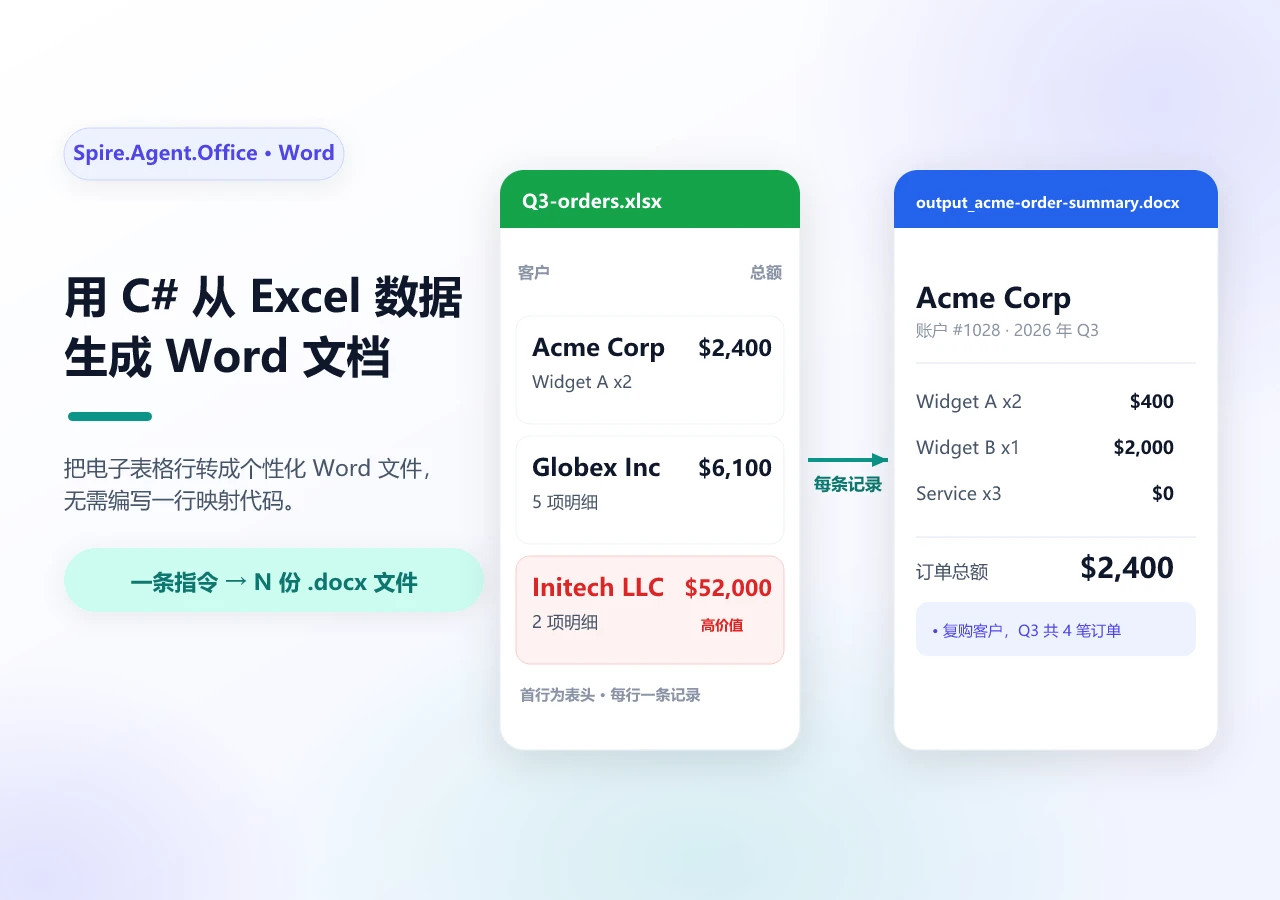
attachments 参数在单次调用中把多份文档路径传给智能体。智能体读取所有附件、跨文档推理、产出汇总输出。这已经超越了传统 OCR 的文本识别角色——AI 模型能够基于多份文档输入进行推理。

重试与人工审核

1
2
3
4
5
6
7
8
9
10
11
12
13
14
15
16
17
18
19
20
21
22
23
24
25
26
27
28
29
30
31
32
33
34
35
36
37
38
39
40
41
42
43
public async Task<PipelineResult> RunPipelineWithRetryAsync(
string filePath, string outputDir, int maxRetries = 3)
{
string lastError = "unknown";

for (int attempt = 1; attempt <= maxRetries; attempt++)
{
try
{
var result = await RunPipelineAsync(filePath, outputDir);

if (result.Validation.IsValid)
return result;

// 边界置信度:重试一次,看下一轮是否
// 分类或提取出不同结果
if (result.Validation.ValidationScore >= 0.5 &&
attempt < maxRetries)
{
continue;
}

return result;
}
catch (Exception ex)
{
lastError = ex.Message;

if (attempt < maxRetries)
{
await Task.Delay(
TimeSpan.FromSeconds(Math.Pow(2, attempt)));
}
}
}

// 每次尝试都抛出异常,循环耗尽而非正常返回。
return new PipelineResult
{
Status = $"{PipelineResult.Failed} after {maxRetries} retries: " +
lastError
};
}

校验失败或置信度低于阈值的文档被标记为人工审核而非静默失败。重试策略对瞬时错误使用指数退避,对边界置信度的情况也重新尝试一次——下一轮可能分类或提取出不同结果。


5. IDP 实战应用

本节展示流水线如何处理真实业务场景——这些场景在一个工作流中涉及多种文档类型。

应付账款自动化

应付账款(AP)部门收到的发票格式混杂——PDF、Excel、Word、扫描件都有。每张发票都需要分类、提取字段、与采购订单交叉校验,然后路由到 ERP 系统。

1
2
3
4
5
6
7
8
9
10
11
12
13
14
15
16
17
18
19
20
21
22
23
24
25
26
27
28
29
30
31
32
33
34
35
36
37
38
39
40
public async Task<APResult> ProcessInvoiceAsync(
string invoicePath, string outputDir)
{
// 阶段 1-3:标准流水线
var pipeline = await RunPipelineAsync(invoicePath, outputDir);

if (!pipeline.Validation.IsValid)
return new APResult
{
Status = "Requires review",
Errors = pipeline.Validation.Errors
};

// 与采购订单交叉比对
var poNumber = GetField(pipeline.Extraction.Fields, "PONumber");
if (string.IsNullOrEmpty(poNumber))
return new APResult { Status = "No PO reference" };

var poData = await _erpService.GetPurchaseOrderAsync(poNumber);
if (poData == null)
return new APResult { Status = "PO not found in ERP" };

// 三方匹配:发票 vs 采购订单 vs 收货单
var grData = await _erpService.GetGoodsReceiptAsync(poNumber);
var matchResult = ThreeWayMatch(
pipeline.Extraction, poData, grData);

if (matchResult.IsMatch)
{
await _erpService.PostInvoiceForPaymentAsync(
pipeline.Extraction);
return new APResult { Status = "Posted for payment" };
}

return new APResult
{
Status = "Three-way match failed",
Discrepancies = matchResult.Discrepancies
};
}

应付账款三方匹配:提取出的发票数据与采购订单和收货单比对后,才提交付款

发票先走标准四阶段流水线,通过校验后进入业务特定的交叉比对环节。三方匹配把发票与采购订单和收货单逐项核对——金额、数量、供应商三者一致才过。匹配失败的发票带着差异明细返回,由人工跟进。完整的端到端实现——包括提取指令、采购订单比对和财务系统消费的报表——详见发票处理教程

合同分析

法务团队收到外部合同后,需要分析条款、提取关键信息、与公司标准模板比对,发现非标准条款时路由到审核。智能体在处理合同时,把标准模板作为参考文档一并传入。

1
2
3
4
5
6
7
8
9
10
11
12
13
14
15
16
17
18
19
20
21
22
23
24
25
26
27
28
29
30
31
32
33
34
35
36
37
38
39
40
41
42
43
44
45
46
47
48
49
50
51
52
53
54
55
56
57
58
public async Task<ContractAnalysisResult> AnalyzeContractAsync(
string contractPath, string outputDir)
{
AIOptions agentOptions = CreateAgentOptions(outputDir);

string analysisPath = Path.Combine(outputDir,
$"contract-analysis-{DateTime.Now:yyyyMMdd}.docx");

string[] attachments =
{ Path.Combine(AppContext.BaseDirectory,
"templates", "standard-contract.docx") };

string instruction =
"Analyze this contract and compare it to the attached " +
"standard template. Identify non-standard clauses, unusual " +
"risk terms, or missing provisions. Generate a redline " +
"summary document highlighting the differences and save " +
"it to the output path.";

string ext = Path.GetExtension(contractPath).ToLowerInvariant();
AIResult? result = null;

if (ext == ".pdf")
{
using (PdfDocument contract = new PdfDocument())
{
contract.LoadFromFile(contractPath);
result = contract.AI(agentOptions).ExecuteInstruction(
contract, instruction, analysisPath, attachments);
}
}
else if (ext == ".pptx" || ext == ".ppt")
{
using (Presentation contract = new Presentation())
{
contract.LoadFromFile(contractPath);
result = contract.AI(agentOptions).ExecuteInstruction(
contract, instruction, analysisPath, attachments);
}
}
else
{
using (Document contract = new Document())
{
contract.LoadFromFile(contractPath);
result = contract.AI(agentOptions).ExecuteInstruction(
contract, instruction, analysisPath, attachments);
}
}

return new ContractAnalysisResult
{
Success = result != null && result.Success,
AnalysisPath = result != null && result.Success
? analysisPath : null,
Error = result?.ErrorMessage
};
}

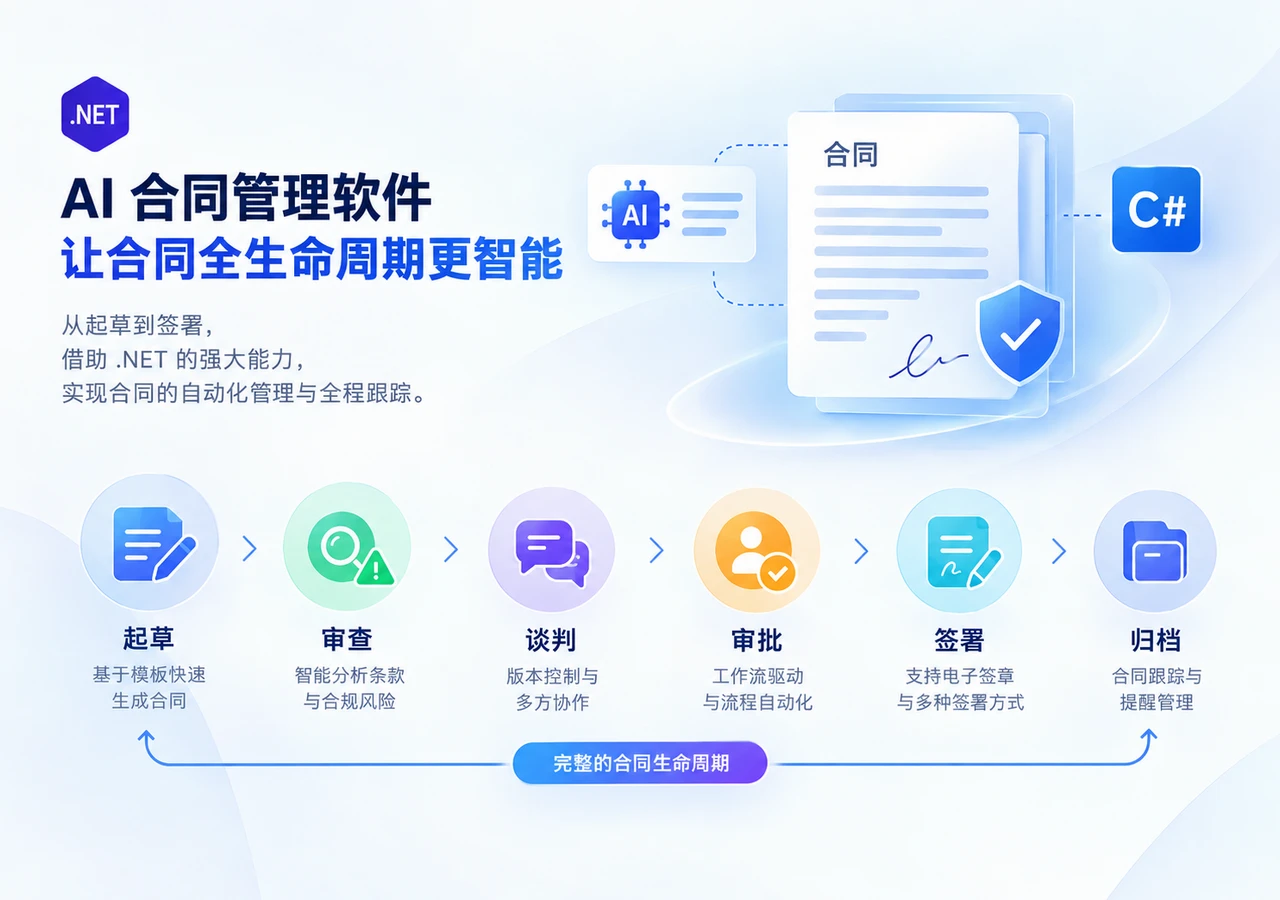
这个工作流把提取、跨文档比对和文档生成融为一个过程:智能体读取合同、参照标准模板、输出一份标注差异的红线摘要文档。它展示了 AI 智能体如何将传统 IDP 流水线从结构化字段提取扩展到更复杂的文档推理场景。合同审查的完整模式——条款提取、模板比对、差异标注——详见 合同条款审查实战


6. 自建还是采购:IDP 方案选型

IDP 市场以 SaaS 平台为主。本节帮助开发者判断:什么时候在 .NET 中自建流水线是正确选择,什么时候采用供应商平台更务实。

适合自建的场景:需要与现有 .NET 应用深度集成、自定义校验规则、或在提取之外还要做文档生成和转换。在 .NET 中构建编排层让你对文档存储位置和处理方式有更大的控制权。实际的数据驻留取决于 AI 模型和服务配置。

适合采购的场景:OCR 密集型工作负载、需要预置提取模型、托管基础设施、或快速上线优先。如果团队没有 .NET 专长或精力在其他方向,托管平台能省去实现负担。

决策框架:

因素 自建(.NET + AI 智能体) 采购(SaaS IDP)
集成方式 进程内,.NET 原生 外部 API 调用
数据驻留 取决于模型配置 供应商云
文档操作 提取 + 生成 + 转换 + 格式互转 取决于平台
自定义校验 完全代码可控 平台配置
自定义工作流 完全代码可控 依赖平台
上线周期 数周到数月 数天到数周
成本模型 固定 API 费用 + SDK 授权 按文档计费

最终选择取决于应用需求、团队能力和处理的文档类型。许多团队采用混合策略:标准化表单的高量提取用供应商平台,需要文档生成、跨文档推理或紧密系统集成的复杂工作流用自建 .NET 流水线。


7. 常见问题

什么是智能文档处理(IDP)?

智能文档处理是一种以 AI 为核心的自动化方法:对文档进行分类、从中提取结构化数据、按业务规则校验结果,再将输出路由到下游系统。与传统 OCR 主要把视觉内容转成机器可读文本不同,IDP 在此基础上叠加了文档分类、语义提取、校验和流程自动化,能够处理版式各异的文档而不完全依赖固定模板。

IDP 流水线和单次 LLM API 调用有什么区别?

单次 LLM 调用只处理文本,不处理文件格式、不执行文档操作、不管理流水线状态。IDP 流水线编排多个阶段——分类、提取、校验、路由——每个阶段有独立的错误处理、重试逻辑和审计日志。流水线还把 AI 推理与确定性文件操作桥接起来,确保输出保留正确的格式。

不用供应商平台也能搭建 IDP 流水线吗?

可以。使用 Spire.Agent.Office 这类 .NET AI 智能体 SDK,你可以用 C# 实现全部四个流水线阶段。SDK 为 Word、Excel、PowerPoint 和 PDF 文件提供自然语言文档处理,输出为确定性文件。这种方式让你对校验逻辑和路由规则拥有完全控制。

IDP 流水线支持哪些文档格式?

通过 Spire.Agent.Office,流水线支持 Word(.docx、.doc)、Excel(.xlsx、.xls)、PowerPoint(.pptx、.ppt)和 PDF 文件。扫描件可能需要在 AI 提取之前加一步 OCR,具体取决于文档和处理流程。流水线还可以在路由阶段进行格式转换。

AI 智能体如何连接到语言模型?

Spire.Agent.Office 通过 AIOptions 中的 SpireToken 属性认证 AI 服务。SDK 自行管理 AI 服务连接,应用无需直接实现底层模型 API 集成。这种设计把文档处理与模型配置分离,因此无论底层用哪个模型,你的流水线代码都不用改。

AI 文档提取的准确度如何?

提取准确度很大程度上取决于文档质量、版式一致性、OCR 质量、模型行为和提取指令。生产系统应该用确定性业务规则校验提取值,并把不确定的结果路由到人工审核。校验阶段通过将提取值与确定性规则比对、将不确定结果送审,帮助提升 AI 提取在生产中的可靠性。

IDP 和 OCR 有什么区别?

OCR(光学字符识别)把视觉文档内容转换为机器可读文本。IDP 在此基础上叠加了 AI 驱动的理解、校验和流程自动化。IDP 流水线可能在内部使用 OCR 处理扫描件,但 OCR 本身不会对文档分类、校验提取数据或把结果路由到下游系统。

IDP 流水线中的批量处理是如何工作的?

批量处理在多份文档上并发运行流水线,通过可配置的并发上限管理资源使用。每份文档独立走完四个阶段,结果聚合到一份批量报告中。失败的文档被标记为需要审核,不会阻塞批次中的其余文档。


准备好搭建 IDP 流水线了?

如果你正在 .NET 应用中构建智能文档处理,可以从 入门指南 开始——它涵盖了 SDK 安装和在 .NET 中运行你的第一条指令。

延伸阅读