如何使用 C# 构建 AI 合同管理软件 AI 合同管理软件 将合同从起草到签署后跟踪的整个生命周期纳入自动化——在 .NET 应用中结合 AI 语言理解与确定性文档处理,驱动合同走过每一个阶段。与单点合同自动化工具不同,合同管理系统的价值在于生命周期覆盖范围:合同审查工具负责标记风险条款;合同管理系统则推动协议穿越每个阶段、跨版本维护审计轨迹、并在签署后持续跟踪履约义务。
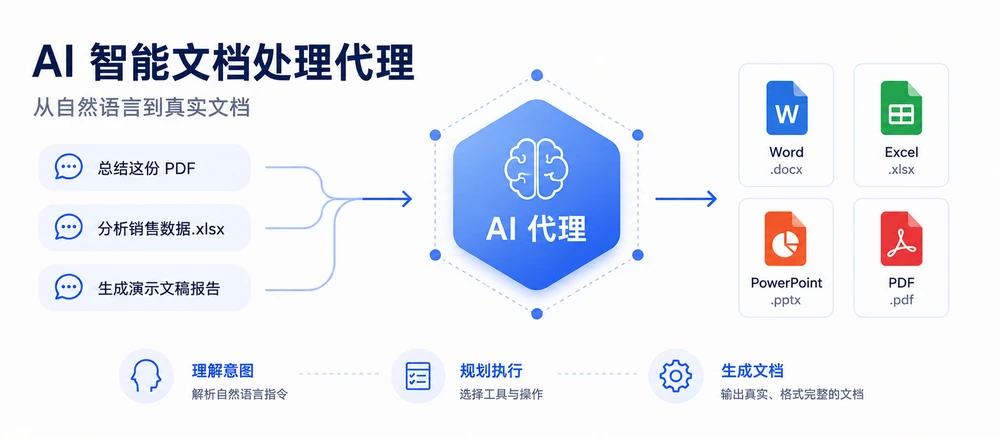
Spire.Agent.Office 是一款文档 AI 智能体 SDK,同时提供语言理解与文档处理两层能力。本文展示如何用 C# 构建一个合同生命周期管理系统,将五个阶段串联为一条流水线,并实现逐阶段错误隔离、PDF 与 Word 格式分派、以及规范的状态跟踪——这些是单点示例不会涉及的工程模式。
本文呈现的是一个 AI 辅助合同生命周期流水线的参考实现。生产级 CLM 系统还需要工作流持久化、身份与访问控制、电子签名集成、文档存储与版本留存、通知机制和审计基础设施。
快速导航
1. 合同生命周期:AI 介入的五个阶段 合同生命周期不是一次文档操作,而是一系列阶段,每个阶段都有各自的输入、输出和失败模式。理解 AI 在每个环节能提供什么价值——以及确定性代码必须在何处守住底线——是构建一个能在生产环境中稳定运行的系统的基础。
阶段
发生什么
AI 的角色
确定性代码的角色
起草 根据模板加结构化数据生成合同
理解请求、选择并填充模板字段
加载模板、保持排版、保存为 .docx 或 .pdf
审查 阅读合同、标记风险条款、提取关键条款
对条款语言进行语义分析、风险评分
输出结构化审查报告、执行审查清单
协商 比较版本、跟踪修订、合并变更
概括差异、区分实质性修改与格式修改
修订跟踪开关、文档比较、接受/拒绝修订
审批 路由给相关方、收集签署意见
根据合同类型和金额建议审批人
执行路由规则、记录审计轨迹、生成定稿
签署后 跟踪义务、截止日期、续约
从合同中提取义务和关键日期
存储结构化元数据、触发提醒、生成报告
实际流程并非严格线性——协商可能退回审查,修正案可能重启起草——但流水线架构通过阶段路由而非固定顺序来处理这些情况。
与单纯合同审查的区别 合同审查自动化——参见 C# 实现 AI 合同审查 ——只覆盖一个阶段:阅读协议并标记问题。合同管理系统则必须:
将阶段串联 ,数据从一个阶段流向下一个(起草的输出成为审查的输入)。处理多种文档格式 ——模板以 .docx 传入,对方可能发来 .pdf,实现格式分派的阶段需同时处理两者而不报错。跨阶段维护状态 ——合同的审查状态、协商版本号和审批链必须在流水线运行之间持久化。逐合同隔离故障 ——一批 200 份合同中有一份文件损坏,不应中断整条流水线。
这些需求决定了下文的架构设计。
2. 合同生命周期自动化的系统架构 合同生命周期管理系统分为三层。每层各司其职,层与层之间的边界正是生产故障要么被拦截、要么漏网的地方。
第一层:指令接口 入口是一条自然语言指令,描述期望的结果——而非机械步骤。”用标准模板为 Acme 公司起草一份供应商协议,审查其中非标准付款条款,若责任上限超过 50 万美元则路由至法务部。”指令层将其解析为流水线计划:运行哪些阶段、按什么顺序、每个阶段需要什么参数。
第二层:阶段编排器 编排器管理阶段之间的流转。它持有一个共享的 ContractContext 对象,在阶段之间传递合同元数据、当前文档和各阶段结果。每个阶段接收上下文、执行操作、返回更新后的上下文和阶段结果。编排器根据结果决定继续、重试还是路由到异常处理。
第三层:文档处理 每个阶段调用 Spire.Agent.Office 执行实际的文档操作。智能体负责 AI 推理(理解指令、提取信息),文档层负责文件操作(加载、修改、保存)。格式分派在需要处理多种文档格式的阶段实现:.pdf 输入使用 PdfDocument,.docx 输入使用 Document。
合同上下文 在流水线中流转的共享状态对象:
1 2 3 4 5 6 7 8 9 10 11 12 13 14 15 16 17 18 19 20 21 22 23 24 25 26 27 28 29 30 31 32 33 34 35 36 37 38 39 40 41 42 43 44 45 public class ContractContext { public string ContractId { get ; set ; } = string .Empty; public string ContractType { get ; set ; } = string .Empty; public string CurrentFilePath { get ; set ; } = string .Empty; public string WorkDir { get ; set ; } = string .Empty; public int VersionNumber { get ; set ; } = 1 ; public DraftResult? Draft { get ; set ; } public ReviewResult? Review { get ; set ; } public NegotiationResult? Negotiation { get ; set ; } public ApprovalResult? Approval { get ; set ; } public ObligationResult? Obligations { get ; set ; } public string Status { get ; set ; } = PipelineStages.Pending; public List<string > StageLog { get ; set ; } = new (); public string ? ErrorMessage { get ; set ; } } public static class PipelineStages { public const string Pending = "Pending" ; public const string Drafted = "Drafted" ; public const string Reviewed = "Reviewed" ; public const string Negotiated = "Negotiated" ; public const string Approved = "Approved" ; public const string Executed = "Executed" ; public const string Monitored = "Monitored" ; public const string Failed = "Failed" ; public const string NeedsReview = "NeedsReview" ; }
Status 字段使用命名常量而非原始字符串。这防止了一种常见故障:状态从未被显式设置,导致文档从所有报告分桶中漏掉,在批处理汇总中悄然消失。
3. 阶段一:从模板与数据起草合同 起草阶段接收一个模板(带 {{Placeholder}} 标记的 .docx 文件)和一个数据源(Excel 表格或结构化输入),产出一份已填充的合同。AI 智能体读取模板结构,用数据源中的数据填充占位符——一条指令即可替代传统 SDK 所需的字段映射代码。
1
2
3
4
5
6
7
8
9
10
11
12
13
14
15
16
17
18
19
20
21
22
23
24
25
26
27
28
29
30
31
32
33
34
35
36
37
38
39
40
41
42
43
44
45
46
47
48
49
50
51
52
53
54
55
56
57
58
59
60
61
62
63
64
65
66
67
68
69
70
71
72
73
74
75
76
77
78
79
80
81
82
83
84
85
86
using Spire.Agent.Office.AI;using Spire.Agent.Office.Extensions;using Spire.Doc;public class DraftResult { public string OutputPath { get ; set ; } = string .Empty; public int ContractsGenerated { get ; set ; } public List<string > PlaceholdersFilled { get ; set ; } = new (); } public class DraftingStage { private readonly AIOptions _options; public DraftingStage (AIOptions options ) public DraftResult Execute (ContractContext context, string templatePath, string dataSourcePath ) { if (!templatePath.EndsWith(".docx" , StringComparison.OrdinalIgnoreCase)) throw new NotSupportedException( $"起草需要 .docx 模板。收到:{templatePath} " ); string [] attachments = { dataSourcePath }; using (Document template = new Document()) { template.LoadFromFile(templatePath); string draftPath = Path.Combine(context.WorkDir, $"{context.ContractId} -v1-draft.docx" ); string draftInstruction = "读取数据源,用对应数据填充本模板中的每个 {{Placeholder}} 字段。" + "保持模板的排版、样式和条款编号。将完成的合同保存至:" + $"{draftPath} 。合同类型:{context.ContractType} 。" ; AIResult result = template.AI(_options).ExecuteInstruction( template, draftInstruction, draftPath, attachments); if (result == null || !result.Success) throw new InvalidOperationException( $"起草失败:{result?.ErrorMessage ?? "未知错误" } " ); string ? generated = File.Exists(draftPath) ? draftPath : result.OutputFiles?.FirstOrDefault(p => File.Exists(p)); if (generated == null ) throw new InvalidOperationException( "起草完成但未找到输出文件(既不在请求路径 " + $"'{draftPath} ',也不在 AIResult.OutputFiles 中)。" ); context.CurrentFilePath = generated; context.VersionNumber = 1 ; context.Status = PipelineStages.Drafted; context.StageLog.Add($"起草:已在 {generated} 生成合同" ); return new DraftResult { OutputPath = generated, ContractsGenerated = 1 , PlaceholdersFilled = ExtractPlaceholderNames(templatePath) }; } } private static List<string > ExtractPlaceholderNames (string templatePath { var placeholders = new List<string >(); using (Document doc = new Document()) { doc.LoadFromFile(templatePath); string text = doc.GetText(); var matches = System.Text.RegularExpressions.Regex.Matches( text, @"\{\{(\w+)\}\}" ); foreach (System.Text.RegularExpressions.Match m in matches) if (!placeholders.Contains(m.Groups[1 ].Value)) placeholders.Add(m.Groups[1 ].Value); } return placeholders; } }
关键 API 调用
Document.LoadFromFile() — 加载带占位符的 .docx 模板template.AI(_options) — 附加 AI 文档处理器ExecuteInstruction(doc, instruction, outputPath, attachments) — 从数据源填充占位符;传入显式绝对路径,确保智能体将产物写到已知位置产物收集:先检查 File.Exists(outputPath);AIResult.OutputFiles 对某些产品类型不可靠,仅作回退
格式分派 该阶段在处理前验证输入格式。.pdf 模板或不支持的格式会被显式拒绝并给出清晰消息,而非在智能体内部以难以理解的异常失败。这一模式防止了一种常见故障:缺少格式分派导致 PDF 输入在处理流水线深处抛出未处理异常。
起草单份合同是最简单的场景。当同一模板需要为数十条记录填充——新入职员工、供应商、续约——指令模式可原样扩展到批量输出;使用 Spire.Agent.Office 批量生成合同 涵盖了邮件合并和占位符替换两种路线,并比较了各自的适用场景。
SDK 说明: 当向 ExecuteInstruction 传入显式 outputPath 时,SDK 可能还会在同目录下写入一份 output-<filename> 副本。该副本内容完全相同,处理后可安全清理。所有指定输出路径的阶段均受此影响。
本阶段的产物就是填充后的文档本身——供应商协议模板中的每个占位符都已从供应商主数据表中替换。
4. 阶段二:审查与风险分析 审查阶段阅读起草好的合同,识别风险或非标准条款,输出结构化审查报告。与起草阶段不同,输入可能是 .docx(内部草稿)或 .pdf(对方来文),因此该阶段必须分派到正确的文档类型。
1
2
3
4
5
6
7
8
9
10
11
12
13
14
15
16
17
18
19
20
21
22
23
24
25
26
27
28
29
30
31
32
33
34
35
36
37
38
39
40
41
42
43
44
45
46
47
48
49
50
51
52
53
54
55
56
57
58
59
60
61
62
63
64
65
66
67
68
69
70
71
72
73
74
75
76
77
78
79
80
81
82
83
84
85
86
87
88
89
90
91
92
93
94
95
96
97
98
99
100
101
102
103
104
105
106
107
108
109
110
111
112
113
114
115
116
117
118
119
120
121
122
123
124
125
126
127
128
129
130
131
132
133
134
135
136
137
138
139
140
141
142
143
144
145
146
147
148
149
150
151
152
153
154
155
156
157
158
159
160
161
162
163
using Spire.Agent.Office.AI;using Spire.Agent.Office.Extensions;using Spire.Doc;using Spire.Pdf;using System.Text.RegularExpressions;public class ReviewResult { public string ReportPath { get ; set ; } = string .Empty; public int ClausesAnalyzed { get ; set ; } public int RiskFlags { get ; set ; } public double RiskScore { get ; set ; } public List<string > FlaggedClauses { get ; set ; } = new (); } public class ReviewStage { private readonly AIOptions _options; public const double AutoApproveThreshold = 0.3 ; public const double ManualReviewThreshold = 0.6 ; public ReviewStage (AIOptions options ) public ReviewResult Execute (ContractContext context ) { string filePath = context.CurrentFilePath; string reportPath = Path.Combine(context.WorkDir, $"{context.ContractId} -review.md" ); string reviewInstruction = "审查本合同并撰写一份包含两个部分的 Markdown 报告:\n" + "1. 一个表格,列出每个主要条款、其类型和风险分数(0-1)。\n" + "2. 一个条目列表,列出偏离标准实践的条款(针对标准 " + $"{context.ContractType} )。" + "标记以下任何一项:无上限责任、无通知自动续约、" + "宽泛赔偿、单方面终止或超过 60 天的付款条款。" + "在每个被标记条款的条目前加 'FLAG:' 前缀,且该行必须以 '- ' 开头" + "(即写作 '- FLAG: …'),以便解析器识别。" + $"将源文档引用为 '{context.ContractId} ',而非 'input.docx'。\n" + $"将报告保存至:{reportPath} " ; AIResult result = DispatchByFormat(filePath, reviewInstruction, reportPath); if (result == null || !result.Success) throw new InvalidOperationException( $"审查失败:{result?.ErrorMessage ?? "未知错误" } " ); string reportContent = File.ReadAllText(reportPath); var review = ParseReviewReport(reportContent, reportPath); if (review.RiskScore >= ManualReviewThreshold) context.Status = PipelineStages.NeedsReview; else if (review.RiskScore >= AutoApproveThreshold) { context.Status = PipelineStages.Reviewed; context.StageLog.Add( $"审查:风险分数 {review.RiskScore:F2} 处于警告区间 " + $"({AutoApproveThreshold} -{ManualReviewThreshold} );已审查并附带警告" ); } else context.Status = PipelineStages.Reviewed; context.StageLog.Add( $"审查:{review.ClausesAnalyzed} 条条款,{review.RiskFlags} 个标记," + $"分数 {review.RiskScore:F2} ,状态={context.Status} " ); return review; } private AIResult DispatchByFormat (string filePath, string instruction, string outputPath { string ext = Path.GetExtension(filePath).ToLowerInvariant(); return ext switch { ".docx" or ".doc" => ProcessWord(filePath, instruction, outputPath), ".pdf" => ProcessPdf(filePath, instruction, outputPath), _ => throw new NotSupportedException( $"审查阶段不支持该格式:{ext} " ) }; } private AIResult ProcessWord (string filePath, string instruction, string outputPath { using (Document doc = new Document()) { doc.LoadFromFile(filePath); return doc.AI(_options).ExecuteInstruction( doc, instruction, outputPath, Array.Empty<string >()); } } private AIResult ProcessPdf (string filePath, string instruction, string outputPath { using (PdfDocument pdf = new PdfDocument()) { pdf.LoadFromFile(filePath); return pdf.AI(_options).ExecuteInstruction( pdf, instruction, outputPath, Array.Empty<string >()); } } private static ReviewResult ParseReviewReport (string markdown, string reportPath { var result = new ReviewResult { ReportPath = reportPath }; var tableLines = markdown.Split('\n' ) .Where(l => l.StartsWith("|" ) && !l.StartsWith("|---" ) && !l.StartsWith("| --" )) .Skip(1 ); result.ClausesAnalyzed = tableLines.Count(); var flagLines = markdown.Split('\n' ) .Select(StripLeadingMarkdown) .Where(l => l.StartsWith("FLAG:" , StringComparison.OrdinalIgnoreCase)); result.FlaggedClauses = flagLines.Select(l => l.Trim()).ToList(); result.RiskFlags = result.FlaggedClauses.Count; result.RiskScore = result.ClausesAnalyzed > 0 ? Math.Min(1.0 , (double )result.RiskFlags / result.ClausesAnalyzed) : 0.0 ; return result; } private static string StripLeadingMarkdown (string line { string s = line.Trim(); bool changed = true ; while (changed) { changed = false ; string t = Regex.Replace(s, @"^[-*\u2022\u30FB\u25CF]\s+" , "" ); if (t != s) { s = t; changed = true ; } t = Regex.Replace(s, @"^\d+[.)]\s+" , "" ); if (t != s) { s = t; changed = true ; } t = Regex.Replace(s, @"^\*{1,2}\s*" , "" ); if (t != s) { s = t; changed = true ; } t = Regex.Replace(s, @"^_{1,2}\s*" , "" ); if (t != s) { s = t; changed = true ; } } return s; } }
DispatchByFormat 是本阶段的关键新增。在早期的流水线实现中,只处理 .docx 的阶段在对方发来 .pdf 时会抛出 InvalidOperationException。switch 表达式在智能体运行前就分派到正确的文档类型,使两种格式都成为一等输入。
风险阈值(AutoApproveThreshold、ManualReviewThreshold)是具有文档化语义的命名常量。0.3 与 0.6 之间的间隙形成了一个显式的”需审查”区间——既不够干净到可以自动通过,也不够危险到直接阻断。这防止了阈值死逻辑故障:每份合同都通过同一检查。
审查结果以报告文件形式持久化,而非仅留在内存中,因此条款级审计独立于产生它的那次运行而存在。
5. 阶段三:协商与版本控制 协商是合同易手的环节。对方对文档进行标记——修订条款、调整措辞、添加条件。系统需要比较版本、跟踪修订,并帮助团队决定接受哪些修改。
本阶段使用 Spire.Doc 文档层的两项能力,它们超出了 AI 智能体的 ExecuteInstruction 范围:
修订跟踪 — 开启修订记录,使每次编辑都可见且可归因文档比较 — 比较两个版本并生成差异文档
1
2
3
4
5
6
7
8
9
10
11
12
13
14
15
16
17
18
19
20
21
22
23
24
25
26
27
28
29
30
31
32
33
34
35
36
37
38
39
40
41
42
43
44
45
46
47
48
49
50
51
52
53
54
55
56
57
58
59
60
61
62
63
64
65
66
67
68
69
70
71
72
73
74
75
76
77
78
79
80
81
82
83
84
85
86
87
88
89
90
91
92
93
94
95
96
97
98
99
100
101
102
103
104
105
106
107
108
109
110
111
112
113
114
115
116
117
118
119
120
121
122
123
124
125
126
127
128
129
130
131
132
133
134
135
136
137
138
139
140
141
142
143
144
145
146
147
148
149
150
151
152
153
154
155
156
157
158
159
160
161
162
163
164
165
166
167
168
169
170
171
172
173
174
175
176
177
178
179
180
181
182
183
184
using Spire.Agent.Office.AI;using Spire.Agent.Office.Extensions;using Spire.Doc;using Spire.Doc.Documents;using System.Text.RegularExpressions;public class NegotiationResult { public string ComparisonPath { get ; set ; } = string .Empty; public int ChangesDetected { get ; set ; } public int SubstantiveChanges { get ; set ; } public int FormattingChanges { get ; set ; } public string NegotiatedFilePath { get ; set ; } = string .Empty; } public class NegotiationStage { private readonly AIOptions _options; public NegotiationStage (AIOptions options ) public NegotiationResult CompareVersions ( ContractContext context, string counterpartyFilePath ) { string comparisonPath = Path.Combine( context.WorkDir, $"{context.ContractId} -v{context.VersionNumber} -comparison.docx" ); using (Document ourVersion = new Document()) using (Document theirVersion = new Document()) { ourVersion.LoadFromFile(context.CurrentFilePath); theirVersion.LoadFromFile(counterpartyFilePath); ourVersion.Compare(theirVersion, "合同管理系统" ); ourVersion.SaveToFile(comparisonPath, FileFormat.Docx2013); } string analysisPath = Path.Combine( context.WorkDir, $"{context.ContractId} -negotiation-analysis.md" ); using (Document comparison = new Document()) { comparison.LoadFromFile(comparisonPath); string analyzeInstruction = "分析本文档比较并撰写一份 Markdown 报告:\n" + "1. 在第一行写入 'Total changes: <N>',其中 N 为已分类修改" + "(实质性 + 格式性)的总数。\n" + "2. 将每处修改列为条目,以 'SUBSTANTIVE:' 或 'FORMATTING:' 为前缀," + "且每条必须以 '- ' 开头(即写作 '- SUBSTANTIVE: …')," + "后接受影响的条款及修改性质。\n" + "3. SUBSTANTIVE 修改:条款文本、数字、日期。" + "FORMATTING 修改:样式、间距、字体。\n" + $"保存至:{analysisPath} " ; AIResult result = comparison.AI(_options).ExecuteInstruction( comparison, analyzeInstruction, analysisPath, Array.Empty<string >()); if (result == null || !result.Success) throw new InvalidOperationException( $"协商分析失败:{result?.ErrorMessage} " ); } var negotiation = ParseNegotiationReport(analysisPath); negotiation.ComparisonPath = comparisonPath; negotiation.NegotiatedFilePath = counterpartyFilePath; context.VersionNumber++; context.CurrentFilePath = counterpartyFilePath; context.Status = PipelineStages.Negotiated; context.StageLog.Add( $"协商:{negotiation.ChangesDetected} 处修改 " + $"({negotiation.SubstantiveChanges} 处实质性," + $"{negotiation.FormattingChanges} 处格式性),v{context.VersionNumber} " ); return negotiation; } public string PrepareForRedlining (ContractContext context ) { string redlineReadyPath = Path.Combine( context.WorkDir, $"{context.ContractId} -v{context.VersionNumber} -redline.docx" ); using (Document doc = new Document()) { doc.LoadFromFile(context.CurrentFilePath); doc.TrackChanges = true ; doc.SaveToFile(redlineReadyPath, FileFormat.Docx2013); } context.StageLog.Add("协商:已开启修订跟踪以供红线标记" ); return redlineReadyPath; } public string AcceptAllChanges (ContractContext context ) { string cleanPath = Path.Combine( context.WorkDir, $"{context.ContractId} -v{context.VersionNumber} -final.docx" ); using (Document doc = new Document()) { doc.LoadFromFile(context.CurrentFilePath); doc.AcceptChanges(); doc.SaveToFile(cleanPath, FileFormat.Docx2013); } context.CurrentFilePath = cleanPath; context.StageLog.Add("协商:已接受所有修改,生成干净版本" ); return cleanPath; } private static NegotiationResult ParseNegotiationReport (string reportPath { string content = File.ReadAllText(reportPath); var result = new NegotiationResult(); var totalMatch = Regex.Match(content, @"Total changes:\s*(\d+)" , RegexOptions.IgnoreCase); if (!totalMatch.Success) totalMatch = Regex.Match(content, @"(\d+)\s+(?:tracked\s+)?changes" , RegexOptions.IgnoreCase); if (totalMatch.Success) result.ChangesDetected = int .Parse(totalMatch.Groups[1 ].Value); result.SubstantiveChanges = CountByPrefix(content, "SUBSTANTIVE:" ); result.FormattingChanges = CountByPrefix(content, "FORMATTING:" ); return result; } private static int CountByPrefix (string content, string prefix { return content.Split('\n' ) .Select(StripLeadingMarkdown) .Count(l => l.StartsWith(prefix, StringComparison.OrdinalIgnoreCase)); } private static string StripLeadingMarkdown (string line { string s = line.Trim(); bool changed = true ; while (changed) { changed = false ; string t = Regex.Replace(s, @"^[-*\u2022\u30FB\u25CF]\s+" , "" ); if (t != s) { s = t; changed = true ; } t = Regex.Replace(s, @"^\d+[.)]\s+" , "" ); if (t != s) { s = t; changed = true ; } t = Regex.Replace(s, @"^\*{1,2}\s*" , "" ); if (t != s) { s = t; changed = true ; } t = Regex.Replace(s, @"^_{1,2}\s*" , "" ); if (t != s) { s = t; changed = true ; } } return s; } }
关键 API 调用
Document.Compare(otherDoc, authorName) — 生成差异文档,所有修改标记为修订记录(参见 Spire.Doc 文档比较示例 )Document.TrackChanges = true — 开启修订跟踪,使每次编辑都可见且可归因Document.AcceptChanges() — 接受所有修订,生成干净最终版本doc.AI(_options).ExecuteInstruction(...) — 分析比较结果并分类修改
协商阶段将确定性文档操作(比较、修订跟踪、接受)与 AI 分析(区分实质性修改与格式修改)结合。确定性操作来自 Spire.Doc 层,而 AI 智能体处理原本需要人工审查的语义分类。
示例中比较版本并跟踪当前文件路径;生产系统通常会单独持久化每个版本,并显式记录接受了哪个修订。AcceptAllChanges() 作为协商后的可选定稿操作提供,但不会被示例流水线自动调用,因为接受修改应在人工审查之后进行。
Document.Compare 返回的是文档而非摘要:下面的修订标记就是审查者原本需要手工汇编的红线。
6. 阶段四:审批与定稿 审批阶段根据合同类型和金额将合同路由给相关方,记录签署意见,并在所有审批完成后生成定稿 PDF。路由逻辑是确定性的——使用业务规则而非 AI——但智能体协助建议审批人并生成审批摘要。
1
2
3
4
5
6
7
8
9
10
11
12
13
14
15
16
17
18
19
20
21
22
23
24
25
26
27
28
29
30
31
32
33
34
35
36
37
38
39
40
41
42
43
44
45
46
47
48
49
50
51
52
53
54
55
56
57
58
59
60
61
62
63
64
65
66
67
68
69
70
71
72
73
74
75
76
77
78
79
80
81
82
83
84
85
86
87
88
89
90
91
92
93
94
95
96
97
98
99
100
101
102
103
104
105
106
107
108
109
110
111
112
113
114
115
116
117
118
119
120
121
122
123
124
125
126
127
128
129
130
131
132
133
134
135
136
137
138
139
140
141
142
143
144
145
146
147
148
using Spire.Agent.Office.AI;using Spire.Agent.Office.Extensions;using Spire.Doc;public class ApprovalResult { public List<ApprovalRecord> Approvals { get ; set ; } = new (); public bool AllApproved { get ; set ; } public string ExecutedFilePath { get ; set ; } = string .Empty; public DateTime? ExecutionDate { get ; set ; } } public class ApprovalRecord { public string Approver { get ; set ; } = string .Empty; public string Role { get ; set ; } = string .Empty; public bool Approved { get ; set ; } public DateTime Timestamp { get ; set ; } public string ? Comments { get ; set ; } } public class ApprovalStage { private readonly AIOptions _options; public ApprovalStage (AIOptions options ) public ApprovalResult Execute ( ContractContext context, double contractValue, Dictionary<string , bool >? approvalDecisions = null ) { var routingPlan = DetermineApprovers(context.ContractType, contractValue); var result = new ApprovalResult(); string summaryPath = Path.Combine( context.WorkDir, $"{context.ContractId} -approval-summary.md" ); using (Document doc = new Document()) { doc.LoadFromFile(context.CurrentFilePath); string summaryInstruction = "为本合同撰写一页审批摘要:当事方、金额、" + "关键条款、审查中的风险标记以及协商中的修改。" + $"保存至:{summaryPath} " ; AIResult aiResult = doc.AI(_options).ExecuteInstruction( doc, summaryInstruction, summaryPath, Array.Empty<string >()); if (aiResult == null || !aiResult.Success) throw new InvalidOperationException( $"审批摘要生成失败:{aiResult?.ErrorMessage} " ); } int approvedCount = 0 , rejectedCount = 0 , pendingCount = 0 ; foreach (var approver in routingPlan) { bool decision = false ; bool hasDecision = approvalDecisions != null && approvalDecisions.TryGetValue(approver.Name, out decision); bool approved = hasDecision && decision; string comment = !hasDecision ? "待审批" : approved ? "审批人已批准" : "审批人已拒绝" ; if (!hasDecision) pendingCount++; else if (approved) approvedCount++; else rejectedCount++; result.Approvals.Add(new ApprovalRecord { Approver = approver.Name, Role = approver.Role, Approved = approved, Timestamp = DateTime.UtcNow, Comments = comment }); } result.AllApproved = result.Approvals.All(a => a.Approved); if (result.AllApproved) { string executedPath = Path.Combine( context.WorkDir, $"{context.ContractId} -executed.pdf" ); using (Document doc = new Document()) { doc.LoadFromFile(context.CurrentFilePath); doc.SaveToFile(executedPath, FileFormat.PDF); result.ExecutedFilePath = executedPath; result.ExecutionDate = DateTime.UtcNow; } context.CurrentFilePath = result.ExecutedFilePath; context.Status = PipelineStages.Executed; } else { context.Status = PipelineStages.NeedsReview; } context.StageLog.Add( $"审批:{result.Approvals.Count} 位审批人," + $"已批准={approvedCount} ,已拒绝={rejectedCount} ," + $"待定={pendingCount} ,全部批准={result.AllApproved} " ); return result; } private static List<(string Name, string Role)> DetermineApprovers( string contractType, double value ) { var approvers = new List<(string , string )>(); approvers.Add(("Legal Team" , "Legal Counsel" )); if (value > 100 _000) approvers.Add(("VP Operations" , "VP" )); if (value > 500 _000) approvers.Add(("CFO" , "CFO" )); if (contractType.Equals("Vendor" , StringComparison.OrdinalIgnoreCase)) approvers.Add(("Procurement" , "Procurement Manager" )); return approvers; } }
DetermineApprovers 中的路由规则是刻意设计为确定性的。AI 负责建议和概括;它不决定谁签署合同。审批链是必须可审计且一致的业务规则——正是应该由代码而非语言模型来做的那类决策。
说明: 本示例中的 Executed 状态表示审批后生成的最终 PDF——并非已签署合同。真正的电子签名——签名信封、签署人身份验证、签名域嵌入——应由专门的电子签名工作流单独集成。
当每位审批人的意见都记录在案后,该阶段将合同写为 PDF——而这个 PDF,而非源草稿,正是阶段五的输入。
7. 阶段五:签署后监控 在生产工作流中,签署后监控始于合同经过电子或其他方式正式签署之后。在本参考实现中,阶段四产出的定稿 PDF 被用作监控输入。签署后监控从合同中提取义务、关键日期和续约条款,然后将其存储为结构化元数据,供下游系统用于提醒和报告。
1
2
3
4
5
6
7
8
9
10
11
12
13
14
15
16
17
18
19
20
21
22
23
24
25
26
27
28
29
30
31
32
33
34
35
36
37
38
39
40
41
42
43
44
45
46
47
48
49
50
51
52
53
54
55
56
57
58
59
60
61
62
63
64
65
66
67
68
69
70
71
72
73
74
75
76
77
78
79
80
81
82
83
84
85
86
87
88
89
90
91
92
93
94
95
96
97
98
99
100
101
102
103
104
105
106
107
108
109
110
111
112
113
114
115
116
117
118
119
120
121
122
123
124
125
126
127
128
129
130
131
132
133
134
135
136
137
138
139
140
141
142
143
144
145
146
147
148
149
150
151
152
153
154
155
156
157
158
159
160
161
162
163
164
165
166
167
168
169
170
171
172
173
174
175
176
177
178
179
180
181
182
183
184
185
186
187
188
189
190
191
192
193
194
195
196
197
198
199
200
201
202
203
204
205
206
207
208
209
using Spire.Agent.Office.AI;using Spire.Agent.Office.Extensions;using Spire.Doc;using Spire.Pdf;public class ObligationResult { public List<Obligation> Obligations { get ; set ; } = new (); public List<KeyDate> KeyDates { get ; set ; } = new (); public bool AutoRenewal { get ; set ; } public DateTime? RenewalDate { get ; set ; } public string MetadataPath { get ; set ; } = string .Empty; } public class Obligation { public string Description { get ; set ; } = string .Empty; public string Party { get ; set ; } = string .Empty; public string Frequency { get ; set ; } = string .Empty; public DateTime? DueDate { get ; set ; } public string DueDateRaw { get ; set ; } = string .Empty; } public class KeyDate { public string Description { get ; set ; } = string .Empty; public DateTime Date { get ; set ; } public string Type { get ; set ; } = string .Empty; } public class MonitoringStage { private readonly AIOptions _options; public MonitoringStage (AIOptions options ) public ObligationResult Execute (ContractContext context ) { string metadataPath = Path.Combine( context.WorkDir, $"{context.ContractId} -obligations.json" ); string extractInstruction = "从本合同中提取所有签署后义务和关键日期。" + "写入一个 JSON 文件,包含:\n" + "1. \"obligations\":{description, party, frequency, dueDate, dueDateRaw} 数组," + "其中 dueDate 为 ISO-8601 日期(YYYY-MM-DD)。如果义务具有相对" + "截止日期(如 'Within 90 days of receipt'),根据合同生效日期换算为绝对日期。" + "仅对无固定截止日期的持续性义务使用 null。始终将原始截止日期文本放入 dueDateRaw。\n" + "2. \"keyDates\":{description, date, type} 数组,其中 date 为 ISO-8601 " + "(YYYY-MM-DD),type 为 'renewal'、'termination' 或 'milestone'\n" + "3. \"autoRenewal\":布尔值\n" + "4. \"renewalDate\":ISO-8601 日期(YYYY-MM-DD)或 null\n" + $"保存至:{metadataPath} " ; AIResult result = DispatchExtraction( context.CurrentFilePath, extractInstruction, metadataPath, _options); if (result == null || !result.Success) throw new InvalidOperationException( $"义务提取失败:{result?.ErrorMessage} " ); var obligations = ParseObligationMetadata(metadataPath); obligations.MetadataPath = metadataPath; context.Obligations = obligations; context.Status = PipelineStages.Monitored; int datesParsed = obligations.Obligations.Count(o => o.DueDate != null ); int datesUnparsed = obligations.Obligations.Count( o => o.DueDate == null && !string .IsNullOrEmpty(o.DueDateRaw)); int datesOngoing = obligations.Obligations.Count( o => o.DueDate == null && string .IsNullOrEmpty(o.DueDateRaw)); int datesNoSourceText = obligations.Obligations.Count( o => o.DueDate != null && string .IsNullOrEmpty(o.DueDateRaw)); context.StageLog.Add( $"监控:{obligations.Obligations.Count} 条义务," + $"{obligations.KeyDates.Count} 个关键日期," + $"自动续约={obligations.AutoRenewal} ," + $"已解析日期={datesParsed} ,未解析={datesUnparsed} ,持续性={datesOngoing} ," + $"已解析但无原文={datesNoSourceText} " ); return obligations; } private static AIResult DispatchExtraction ( string filePath, string instruction, string outputPath, AIOptions options ) { string ext = Path.GetExtension(filePath).ToLowerInvariant(); return ext switch { ".docx" or ".doc" => ProcessWordExtraction(filePath, instruction, outputPath, options), ".pdf" => ProcessPdfExtraction(filePath, instruction, outputPath, options), _ => throw new NotSupportedException( $"义务提取不支持该格式:{ext} " ) }; } private static AIResult ProcessWordExtraction ( string filePath, string instruction, string outputPath, AIOptions options ) { using (Document doc = new Document()) { doc.LoadFromFile(filePath); return doc.AI(options).ExecuteInstruction( doc, instruction, outputPath, Array.Empty<string >()); } } private static AIResult ProcessPdfExtraction ( string filePath, string instruction, string outputPath, AIOptions options ) { using (PdfDocument pdf = new PdfDocument()) { pdf.LoadFromFile(filePath); return pdf.AI(options).ExecuteInstruction( pdf, instruction, outputPath, Array.Empty<string >()); } } private static ObligationResult ParseObligationMetadata (string jsonPath { string json = File.ReadAllText(jsonPath); using var doc = System.Text.Json.JsonDocument.Parse(json); var root = doc.RootElement; var result = new ObligationResult(); if (TryGetPropertyIgnoreCase(root, "obligations" , out var obs)) foreach (var ob in obs.EnumerateArray()) { string dueDateRaw = TryGetPropertyIgnoreCase(ob, "dueDateRaw" , out var dr) && dr.ValueKind == System.Text.Json.JsonValueKind.String ? dr.GetString() ?? "" : "" ; result.Obligations.Add(new Obligation { Description = TryGetPropertyIgnoreCase(ob, "description" , out var d) ? d.GetString() ?? "" : "" , Party = TryGetPropertyIgnoreCase(ob, "party" , out var p) ? p.GetString() ?? "" : "" , Frequency = TryGetPropertyIgnoreCase(ob, "frequency" , out var f) ? f.GetString() ?? "" : "" , DueDate = TryGetDate(TryGetPropertyIgnoreCase(ob, "dueDate" , out var dd2), dd2), DueDateRaw = dueDateRaw }); } if (TryGetPropertyIgnoreCase(root, "keyDates" , out var kds)) foreach (var kd in kds.EnumerateArray()) result.KeyDates.Add(new KeyDate { Description = TryGetPropertyIgnoreCase(kd, "description" , out var d) ? d.GetString() ?? "" : "" , Date = TryGetDate(TryGetPropertyIgnoreCase(kd, "date" , out var dt), dt) ?? default , Type = TryGetPropertyIgnoreCase(kd, "type" , out var t) ? t.GetString() ?? "" : "" }); result.AutoRenewal = TryGetBool(TryGetPropertyIgnoreCase(root, "autoRenewal" , out var ar), ar); result.RenewalDate = TryGetDate(TryGetPropertyIgnoreCase(root, "renewalDate" , out var rd), rd); return result; } private static bool TryGetPropertyIgnoreCase ( System.Text.Json.JsonElement element, string name, out System.Text.Json.JsonElement value ) { foreach (var prop in element.EnumerateObject()) { if (string .Equals(prop.Name, name, StringComparison.OrdinalIgnoreCase)) { value = prop.Value; return true ; } } value = default ; return false ; } private static DateTime? TryGetDate(bool exists, System.Text.Json.JsonElement element) { if (!exists || element.ValueKind != System.Text.Json.JsonValueKind.String) return null ; string ? s = element.GetString(); return DateTime.TryParse(s, out var date) ? date : null ; } private static bool TryGetBool (bool exists, System.Text.Json.JsonElement element { if (!exists) return false ; if (element.ValueKind == System.Text.Json.JsonValueKind.True) return true ; if (element.ValueKind == System.Text.Json.JsonValueKind.False) return false ; if (element.ValueKind == System.Text.Json.JsonValueKind.String) return bool .TryParse(element.GetString(), out var b) && b; return false ; } }
义务元数据以 JSON 而非文档形式存储,使其可被下游系统查询——续约仪表盘可以扫描所有合同中 autoRenewal == true 且 renewalDate < DateTime.Now.AddDays(90) 的记录,而无需打开任何文档。具有结构化 dueDate 值的义务可自动跟踪;截止日期无法换算为绝对日期的则在 dueDateRaw 中保留原文,留待人工审查。AI 智能体提取信息;确定性层以业务系统可消费的格式存储。
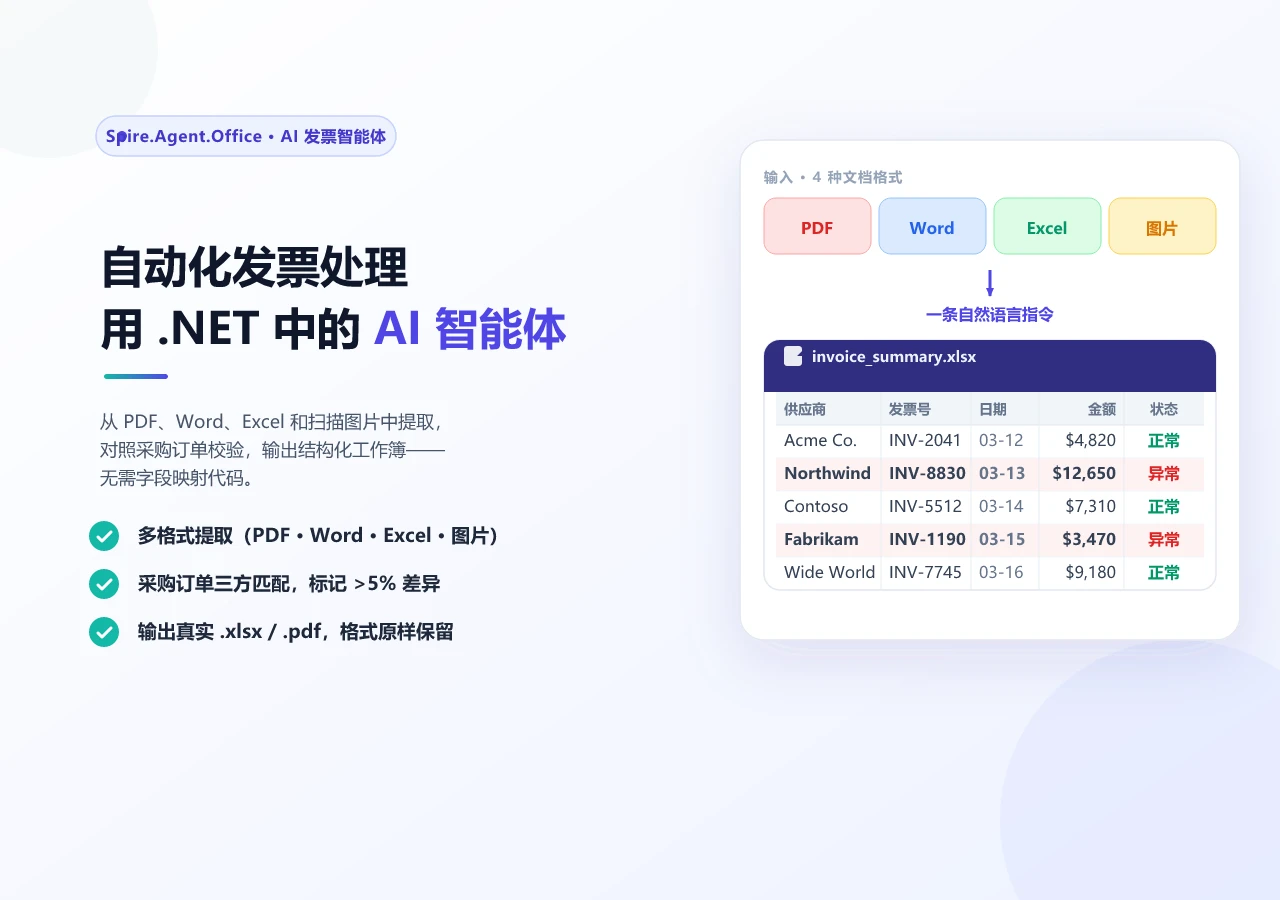
这一提取模式与 .NET 中使用 AI 智能体自动化发票处理 中的做法相同:从传入文档中提取结构化字段,按确定性规则验证,将不确定的值路由至审查。合同的区别主要在后续——义务成为超越交易本身的长生命周期记录,而发票字段一次消费即弃。
提取的数据以 JSON 而非叙述文字存储,因此每条义务和关键日期都同时携带原始合同措辞和解析器从中导出的值。
8. 编排完整流水线 编排器将各阶段串联,把 ContractContext 从一个阶段传给下一个。它有两项关键职责:逐合同错误隔离 (一份合同失败不应中断整批)和状态守恒 (每份合同最终必须落入且仅落入一个报告分桶)。
1
2
3
4
5
6
7
8
9
10
11
12
13
14
15
16
17
18
19
20
21
22
23
24
25
26
27
28
29
30
31
32
33
34
35
36
37
38
39
40
41
42
43
44
45
46
47
48
49
50
51
52
53
54
55
56
57
58
59
60
61
62
63
64
65
66
67
68
69
70
71
72
73
74
75
76
77
78
79
80
81
82
83
84
85
86
87
88
89
90
91
92
93
94
95
96
97
98
99
100
101
102
103
104
105
106
107
108
109
110
111
112
113
114
115
116
117
118
119
120
121
122
123
124
125
126
127
128
129
130
131
132
133
134
135
136
137
138
139
140
141
142
143
144
145
146
147
148
149
150
151
152
153
154
155
156
157
158
159
160
161
162
163
164
165
166
167
168
169
170
171
172
173
174
175
176
177
178
179
180
181
182
183
184
185
186
187
188
189
190
191
192
193
194
195
196
using Spire.Agent.Office.AI;public class PipelineResult { public string ContractId { get ; set ; } = string .Empty; public string Status { get ; set ; } = PipelineStages.Pending; public List<string > StageLog { get ; set ; } = new (); public string ? ErrorMessage { get ; set ; } } public class BatchResult { public int Total { get ; set ; } public int Successful { get ; set ; } public int Flagged { get ; set ; } public int Errored { get ; set ; } public List<PipelineResult> Results { get ; set ; } = new (); } public class ContractLifecyclePipeline { private readonly DraftingStage _drafting; private readonly ReviewStage _review; private readonly NegotiationStage _negotiation; private readonly ApprovalStage _approval; private readonly MonitoringStage _monitoring; public ContractLifecyclePipeline (AIOptions options ) { _drafting = new DraftingStage(options); _review = new ReviewStage(options); _negotiation = new NegotiationStage(options); _approval = new ApprovalStage(options); _monitoring = new MonitoringStage(options); } public PipelineResult RunSingle ( ContractContext context, string templatePath, string dataSourcePath, double contractValue, string ? counterpartyFilePath = null , Dictionary<string , bool >? approvalDecisions = null ) { try { try { context.Draft = _drafting.Execute(context, templatePath, dataSourcePath); } catch (Exception ex) { return Fail(context, "起草" , ex); } try { context.Review = _review.Execute(context); } catch (Exception ex) { return Fail(context, "审查" , ex); } if (context.Status == PipelineStages.NeedsReview) return Flag(context, "审查标记为需人工审查" ); if (counterpartyFilePath != null ) { try { context.Negotiation = _negotiation.CompareVersions(context, counterpartyFilePath); } catch (Exception ex) { return Fail(context, "协商" , ex); } } try { context.Approval = _approval.Execute(context, contractValue, approvalDecisions); } catch (Exception ex) { return Fail(context, "审批" , ex); } if (context.Status == PipelineStages.NeedsReview) return Flag(context, "审批未完成" ); try { context.Obligations = _monitoring.Execute(context); } catch (Exception ex) { return Fail(context, "监控" , ex); } return new PipelineResult { ContractId = context.ContractId, Status = context.Status, StageLog = context.StageLog }; } catch (Exception ex) { return Fail(context, "流水线" , ex); } } public BatchResult RunBatch ( List<(ContractContext context, string template, string data, double value )> contracts, Dictionary<string , Dictionary<string , bool >>? approvalDecisions = null ) { var results = new List<PipelineResult>(); foreach (var (context, template, data, value ) in contracts) { try { Dictionary<string , bool >? decisions = null ; if (approvalDecisions != null && approvalDecisions.TryGetValue(context.ContractId, out var d)) decisions = d; results.Add(RunSingle(context, template, data, value , null , decisions)); } catch (Exception ex) { results.Add(Fail(context, "批处理" , ex)); } } int successful = results.Count(r => r.Status == PipelineStages.Monitored || r.Status == PipelineStages.Executed); int errored = results.Count(r => r.Status == PipelineStages.Failed); return new BatchResult { Total = results.Count, Successful = successful, Flagged = results.Count - successful - errored, Errored = errored, Results = results }; } private static PipelineResult Fail (ContractContext context, string stage, Exception ex ) { context.Status = PipelineStages.Failed; context.ErrorMessage = $"{stage} : {ex.Message} " ; context.StageLog.Add($"错误发生于 {stage} :{ex.Message} " ); return new PipelineResult { ContractId = context.ContractId, Status = PipelineStages.Failed, StageLog = context.StageLog, ErrorMessage = context.ErrorMessage }; } private static PipelineResult Flag (ContractContext context, string reason ) { context.StageLog.Add($"已标记:{reason} " ); return new PipelineResult { ContractId = context.ContractId, Status = context.Status, StageLog = context.StageLog }; } }
逐阶段错误隔离 每个阶段都包裹在各自的 try-catch 中。如果审查阶段因 AI 智能体无法解析某个特别复杂的条款而失败,流水线记录失败并停止——但下一份合同的 ContractContext 不受影响。这防止了一种常见故障:一批 200 份合同中单个损坏文件导致整条流水线中断且无部分结果。
状态守恒 批处理汇总使用余数法 计算 Flagged 计数:Flagged = Total - Successful - Errored。这是一个结构性质——任何未被显式标记为成功或出错的结果都落入”标记”分桶(保守路由到人工审查)。这防止了具有意外状态值的结果从所有三个报告分桶中悄然消失的故障。
运行流水线 1 2 3 4 5 6 7 8 9 10 11 12 13 14 15 16 17 18 19 20 21 22 23 24 25 26 27 28 29 30 31 32 33 34 35 36 37 38 39 40 41 42 43 44 45 46 47 48 AIOptions options = new AIOptions { WorkDir = @"C:\contract-mgmt\work" , SpireToken = Environment.GetEnvironmentVariable("SPIRE_TOKEN" )! }; var pipeline = new ContractLifecyclePipeline(options);var batch = new List<(ContractContext, string , string , double )>{ new (new ContractContext { ContractId = "CTR-2026-001" , ContractType = "Vendor" , WorkDir = @"C:\contract-mgmt\work\CTR-2026-001" }, @"C:\templates\vendor-agreement.docx" , @"C:\data\vendors-q1.xlsx" , 250 _000) }; BatchResult result = pipeline.RunBatch(batch, new Dictionary<string , Dictionary<string , bool >> { ["CTR-2026-001" ] = new Dictionary<string , bool > { ["Legal Team" ] = true , ["VP Operations" ] = true , ["Procurement" ] = true } }); Console.WriteLine($"总计:{result.Total} " ); Console.WriteLine($"成功:{result.Successful} " ); Console.WriteLine($"已标记:{result.Flagged} " ); Console.WriteLine($"出错:{result.Errored} " ); foreach (var r in result.Results){ Console.WriteLine($" {r.ContractId} : {r.Status} " ); foreach (var log in r.StageLog) Console.WriteLine($" {log} " ); }
审批意见在批处理调用时传入,而非由流水线推断:没有记录审批意见的合同,其审批人保持待定状态,落入 Flagged 并在阶段五之前停止——这正是尚无人批准的协议应有的结果。
对少量合同跑一轮是最简单的场景。将同样的阶段放到文档队列后面,编排问题就变了:并发限制、逐文档错误隔离、重试策略和聚合为批处理报告。.NET 智能文档处理:构建 IDP 流水线 在流水线层面讨论了这些话题,本文的批处理部分是同一模式的合同特定实例。
9. AI 的边界与治理 上述架构为 AI 智能体和确定性代码各分配了明确的职责。这条边界并非随意划定——它遵循一个原则:AI 负责理解和建议;确定性代码负责决策和记录。
AI 生成的风险评估和提取的义务应由具备资质的审查人员验证后,方可用于法律或商业决策。
职责
由谁处理
原因
理解自然语言指令
AI 智能体
语言模型的核心价值
从非结构化文本中提取信息
AI 智能体
需要语义理解
将修改分类为实质性或格式性
AI 智能体
需要判断含义
根据合同类型建议审批人
业务规则
可审计性与一致性
决定谁必须签署
业务规则
可审计性与一致性
记录审批链
确定性代码
法律审计轨迹必须防篡改
设定风险阈值
业务规则
风险策略是治理决策
存储义务元数据
确定性代码
下游系统需要可靠的结构
触发续约提醒
确定性代码
必须按计划触发,而非按推断
审查阶段的风险阈值(AutoApproveThreshold = 0.3、ManualReviewThreshold = 0.6)由业务设定,而非由 AI 决定。应用从被标记条款的数量导出审查比率;业务定义阈值。这种分离使系统在审计中站得住脚——每个自动化决策都可追溯到一条人定义的规则,而非模型推断。
与现有系统集成 合同生命周期系统不是孤立存在的。签署后元数据(义务、关键日期、续约条款)的设计目标就是供下游系统消费:
ERP / 财务 :付款里程碑和发票对账CRM :为客户经理推送续约提醒采购 :对照合同 SLA 跟踪供应商绩效法务 :合规监控和审计准备
阶段五的 JSON 元数据格式使这种集成直接了当——下游系统查询结构化数据,无需解析合同文档。
10. 常见问题 这与 AI 合同审查有什么区别?
合同审查是生命周期中的一个阶段——阅读协议并标记风险条款。合同管理系统覆盖完整生命周期:起草、审查、协商、审批、定稿和签署后监控。已有的 C# 实现 AI 合同审查 一文深入讨论审查阶段;本文覆盖审查所在的完整流水线。
流水线能同时处理 PDF 和 Word 输入吗?
可以,在实现了格式分派的阶段。 审查和监控阶段包含基于文件扩展名的 switch,将 .docx 路由到 Document、.pdf 路由到 PdfDocument。起草阶段要求 .docx 模板,协商阶段操作 Word 文档(文档比较使用 Spire.Doc.Document)。这反映了一个真实模式:格式分派在预期会收到对方 PDF 的阶段实现,而非均匀地应用于每个阶段。
批处理中一份合同失败会怎样?
批处理器将每份合同包裹在各自的 try-catch 中。一份合同失败会记录错误消息和发生阶段,批处理继续处理下一份。批处理汇总使用余数法保证状态守恒:Flagged = Total - Successful - Errored,确保每个结果落入且仅落入一个报告分桶。
AI 智能体会决定谁审批合同吗?
不会。审批路由规则是确定性的业务逻辑——在本示例中,超过 10 万美元的合同需要 VP 审批,超过 50 万美元的需要 CFO 审批,供应商合同需要采购签署。AI 智能体生成审批人阅读的审批摘要,但路由本身是代码。这使审批链可审计且一致。
协商阶段如何工作?
协商阶段使用 Spire.Doc 文档层的两项能力:Document.Compare() 生成版本间差异,Document.TrackChanges 开启修订跟踪。AI 智能体随后分析比较文档,将每处修改分类为实质性(条款文本、数字、日期)或格式性(样式、间距)。确定性比较加 AI 分类这一组合,正是协商阶段对法务团队有价值的原因。
什么是签署后监控?
合同定稿(在生产环境中即签署)后,系统从定稿文档中提取义务(谁必须在何时做什么)、关键日期(续约、终止、里程碑)和续约条款(自动续约、通知期)。这些元数据以结构化 JSON 存储,下游系统——ERP、CRM、采购——无需打开合同文档即可查询。这是大多数合同审查工具不涉及的阶段,也是人工流程中价值流失最多的环节:义务被遗忘、续约被错过、截止日期在无人知晓中流逝。
需要哪些 .NET 依赖?
Spire.Agent.Office NuGet 包,它传递依赖 Spire.Doc、Spire.Pdf、Spire.XLS 和 Spire.Presentation。示例面向 .NET 6 或更高版本;部署前请查看包版本支持的目标框架。AI 智能体与语言模型服务通信需要 SpireToken(API 密钥)。
开始自动化你的合同生命周期 如果你的应用涉及合同的起草、审查或跟踪,文档 AI 智能体能将一条自然语言指令变成一份真实、格式正确的文件,而非你需要维护的提取-重建流水线。按照入门指南 将 SDK 接入 .NET 项目并运行你的第一条指令,然后复用上述五个阶段模式,构建你自己的合同类型、审批规则和义务跟踪。